

When website traffic drops, it is easy to assume something is wrong with SEO. Sometimes that is true. A traffic decline can happen because rankings dropped, pages were deindexed, a Google update changed the search results, or technical issues started blocking performance.
But a website traffic drop is not always an SEO problem.
Traffic can also decline because paid ads were paused, referral traffic disappeared, social campaigns ended, email campaigns stopped, tracking broke, or seasonal demand changed. Before trying to recover lost traffic, the first step is to understand what actually dropped.
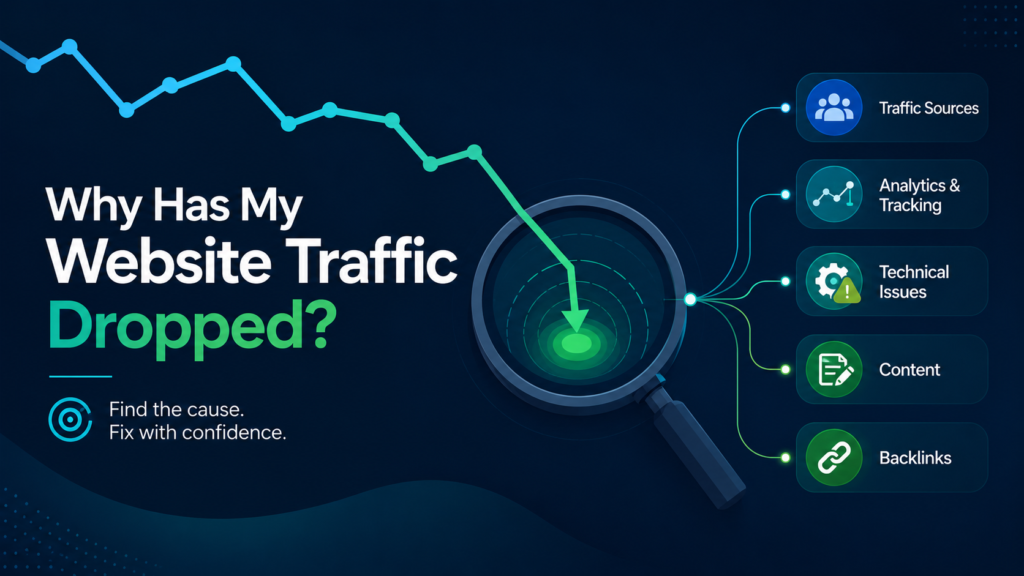
If you ask, “Why has my website traffic dropped?” the best answer starts with diagnosis. You need to identify the traffic source, the date of the drop, the affected pages, and whether the decline is connected to SEO, analytics, technical issues, content, competitors, or broader market behavior.
This guide explains the most common reasons website traffic drops and what to check first.
First, Identify Which Traffic Source Dropped
A website traffic drop is too broad to diagnose without separating traffic sources.
Start by checking which channel declined:
- organic search
- paid search
- direct traffic
- referral traffic
- social traffic
- email traffic
- local or Google Maps traffic
This matters because each source has different causes.
If organic traffic dropped, the issue may involve rankings, indexing, technical SEO, content, backlinks, or Google algorithm changes. If paid traffic dropped, the cause may be reduced ad spend or paused campaigns. If referral traffic dropped, a linking website may have removed or changed a link. If direct traffic dropped, brand demand, tracking, or attribution may be involved.
Do not begin by changing pages or building backlinks. First, identify the channel that declined.
A good starting point is to compare Google Analytics data with Google Search Console data. If Google Analytics shows a traffic drop but Search Console clicks remain stable, the issue may be tracking-related. If both Analytics and Search Console show a decline in organic traffic, the problem is more likely connected to search visibility.
Organic Traffic Dropped
If organic traffic dropped, the issue is likely related to Google search visibility.
Organic traffic can decline because:
- rankings dropped for important keywords
- key pages lost impressions
- pages were deindexed
- Google changed search intent
- competitors improved their pages
- content became outdated
- technical issues appeared
- internal links changed
- backlinks were lost
- a Google update affected visibility
- SERP features reduced click-through rates
This is where Google Search Console becomes very useful. Open the Performance report and compare the period before the drop with the period after the drop.
Check:
- which queries lost clicks
- which pages lost traffic
- whether impressions declined
- whether average position changed
- whether click-through rate dropped
- whether the decline was sitewide or page-specific
If impressions dropped, Google is showing your site less often. That may point to ranking loss, indexing problems, reduced relevance, or search demand changes.
If impressions stayed similar but clicks dropped, the issue may be lower CTR, more ads, new SERP features, changed titles, or stronger competitor snippets.
If the decline was sudden and significant, review this separately as a sudden drop in organic traffic, because the investigation may need to focus more heavily on indexing, Google updates, recent site changes, and technical SEO.
Paid, Referral, or Social Traffic Dropped
Not every traffic drop is caused by SEO.
If paid traffic dropped, check whether campaigns were paused, budgets were reduced, ads were disapproved, targeting changed, or landing pages stopped working properly. A paid traffic decline can look dramatic in total website traffic reports but have nothing to do with organic rankings.
If referral traffic dropped, review your top referring websites. A backlink, directory listing, partner page, or media mention may have been removed or changed. Sometimes referral traffic drops because a third-party website changed its layout, removed a link, added a nofollow attribute, or lost its own traffic.
If social traffic dropped, check whether recent posts, campaigns, ads, or platform activity changed. Organic social traffic can be inconsistent, especially if the business depends on a few posts or campaigns.
If email traffic dropped, check whether newsletters, automations, or promotional campaigns were paused. Also check whether links are being tagged correctly with UTM parameters.
The main point is simple: total website traffic can drop even when SEO is stable. That is why source-level diagnosis matters.
Analytics or Tracking Problems
Sometimes website traffic did not actually drop. It only appears to have dropped because tracking broke.
This is common after:
- website redesigns
- theme updates
- plugin changes
- Google Tag Manager changes
- GA4 setup changes
- consent banner updates
- cookie settings changes
- CMS migrations
- landing page template changes
Check whether the analytics tag is still installed correctly. If you use Google Tag Manager, confirm that the container is firing. If you use a cookie consent platform, check whether it is blocking analytics more aggressively than before.
Common tracking issues include:
- GA4 tag removed from the site
- Google Tag Manager container not firing
- wrong GA4 property connected
- duplicate tracking
- consent settings blocking data
- cross-domain tracking problems
- UTM issues
- events or conversions no longer firing
- traffic being assigned to the wrong channel
A tracking issue can create a false traffic drop. That is why Search Console is helpful. If Google Analytics shows a decline but Search Console clicks are stable, the website may still be receiving organic traffic, but analytics is not recording it correctly.
Seasonality and Demand Changes
Some website traffic drops are caused by real-world demand changes.
Seasonality can affect many industries:
- tourism
- real estate
- education
- ecommerce
- home services
- legal services
- events
- healthcare
- B2B services
- local service businesses
For example, a tutoring website may get more searches before exam periods and less during holidays. A travel business may see strong seasonal patterns. A home service company may get more searches during certain weather conditions. Ecommerce sites may rise during shopping seasons and drop afterward.
This is why year-over-year comparison is important.
Do not only compare this week with last week or this month with last month. Compare the same period from the previous year if the business has enough historical data.
Check:
- current month vs previous month
- current period vs same period last year
- seasonal search trends
- industry demand shifts
- holidays or local events
- changes in product or service demand
If rankings are stable but search impressions declined, demand may have dropped. In that case, the issue may not be SEO performance. It may be lower search volume.
Technical SEO Issues
Technical SEO problems can cause serious traffic loss, especially when they affect crawling, indexing, redirects, or page accessibility.
Common technical causes include:
- noindex tags
- robots.txt blocks
- incorrect canonical tags
- sitemap errors
- redirect chains
- broken redirects
- 404 errors
- soft 404 issues
- server errors
- crawl errors
- slow loading pages
- mobile usability issues
- duplicate pages
- orphan pages
- blocked resources
Technical issues are especially likely if the traffic drop happened after a website update, redesign, migration, plugin change, or hosting change.
For example, if important pages were accidentally set to noindex, Google may remove them from search results. If URLs changed without proper redirects, old rankings may be lost. If canonical tags point to the wrong pages, Google may ignore the pages you want to rank. If the sitemap contains incorrect URLs, crawling and indexing may become less efficient.
A traffic loss SEO investigation should always include technical checks. Even if the final cause is content or competition, technical issues can make recovery harder.
Website Redesigns, Migrations, or URL Changes
Website redesigns and migrations are among the most common causes of traffic loss.
A redesign may improve visual appearance but accidentally remove important SEO elements. A migration may preserve the website structure but break redirects. A CMS change may alter URLs, metadata, headings, internal links, schema, or indexation settings.
Traffic may drop after:
- domain migrations
- CMS migrations
- redesigns
- URL structure changes
- page deletions
- content consolidation
- navigation changes
- template changes
- redirect updates
- hosting changes
Common migration and redesign problems include:
- old URLs not redirected
- redirects pointing to irrelevant pages
- redirect chains
- missing title tags
- changed H1 headings
- removed content sections
- broken internal links
- pages removed from navigation
- noindex tags left from staging
- canonical tags pointing to old URLs
- sitemap not updated
- robots.txt blocking important sections
If your traffic dropped after a redesign or migration, do not assume the new website is simply “settling.” It should be checked carefully.
Compare the old and new versions of affected pages. Review URL changes, redirects, indexation, internal links, metadata, headings, content depth, and page templates.
Content or Search Intent Problems
Content can lose traffic over time.
A page may have ranked well in the past but become outdated, thin compared to competitors, poorly aligned with search intent, or less useful than newer results. Google may also change what it prefers to show for a keyword.
Content-related traffic loss can happen when:
- information becomes outdated
- competitors publish better pages
- search intent changes
- content is too thin
- pages lack depth
- headings are unclear
- FAQs are missing
- trust signals are weak
- internal links are poor
- content is duplicated
- pages no longer match the current SERP
- titles and descriptions attract fewer clicks
Search intent is especially important.
A keyword that previously ranked blog articles may now show service pages. A keyword that previously ranked product pages may now show buying guides. A local pack may appear and push organic results lower. AI-style summaries, ads, videos, and shopping results may reduce clicks even if rankings did not change dramatically.
Review the current search results for affected keywords. Look at what is ranking now and compare your page with the current top results.
Ask:
- Is my page still the right format?
- Is the content complete enough?
- Are competitors answering more questions?
- Is the page outdated?
- Did Google start showing different types of results?
- Is my title still competitive?
- Does the page support the user’s next step?
If the issue is content or intent, recovery may require a content refresh, not just minor keyword edits.
Google Algorithm Updates
Google algorithm updates can cause website traffic to drop, especially if the update affects content quality, spam signals, search intent, authority, user experience, or relevance.
If traffic dropped around the time of a known update, review the pattern carefully.
Check:
- exact drop date
- affected pages
- affected topics
- affected countries or devices
- ranking changes
- competitors that gained visibility
- content quality differences
- trust signals
- internal linking
- backlink profile
- technical issues
Do not automatically call every traffic drop a penalty. Most algorithm-related drops are not manual penalties. They usually mean Google reassessed pages, competitors, search intent, or quality signals.
Algorithmic recovery often requires deeper work. It may involve improving content quality, updating outdated pages, strengthening topical coverage, improving trust signals, fixing technical issues, and building better authority.
It is also important not to overreact during the rollout of a major update. Rankings can fluctuate while Google is still adjusting results. But if the traffic loss remains after the update settles, deeper analysis is needed.
Backlink Loss or Authority Changes
Backlinks can influence traffic when they affect rankings for important pages.
A website may lose visibility if strong backlinks disappear, become nofollow, point to 404 URLs, or pass through broken redirects. Competitors may also gain new backlinks and move ahead in the search results.
Review:
- lost referring domains
- lost backlinks to important pages
- links now pointing to 404 pages
- links that changed to nofollow
- redirected URLs
- anchor text changes
- competitor backlink growth
- suspicious link spikes
- changes in link quality
Not every lost backlink matters. Losing weak links may have little impact. But losing strong, relevant links to important pages can affect rankings and traffic.
One important recovery opportunity is redirecting old URLs with backlinks. If valuable links point to pages that now return 404 errors, proper 301 redirects to relevant live pages may help recover some authority.
Backlink review should be part of a website traffic loss audit, especially when the traffic drop affects competitive keywords or commercial pages.
Local and Google Maps Traffic Drops
For local businesses, website traffic may drop because local visibility changed.
Google Business Profile performance can affect calls, website visits, direction requests, and local leads. A local business may lose traffic even if traditional organic rankings look stable.
Local traffic drops can happen because of:
- Google Business Profile category changes
- incorrect business information
- service area changes
- address changes
- review slowdown
- competitor review growth
- duplicate listings
- citation inconsistencies
- local ranking shifts
- location page weakness
- Google Maps algorithm changes
- competitors improving local SEO
Check Google Business Profile performance data if local visibility matters. Review calls, website clicks, direction requests, profile views, and local rankings.
For multi-location businesses, review data by location. One branch may be improving while another is declining.
Local SEO traffic loss often requires reviewing both the website and local profile signals.
When a Website Traffic Drop Needs an Audit
Some traffic drops are easy to explain. Others are complex.
A professional website traffic loss audit is useful when:
- the drop is significant
- the cause is unclear
- leads, sales, or calls declined
- organic traffic and rankings dropped together
- the decline followed a redesign or migration
- the timing matches a Google update
- technical issues may be involved
- multiple pages or sections were affected
- important backlinks were lost
- local visibility declined
- previous SEO work may have caused problems
- the business needs a recovery roadmap
A traffic audit should not only confirm that traffic dropped. It should identify the likely causes, affected pages, affected keywords, technical issues, content gaps, backlink changes, local SEO problems, and recovery priorities.
The goal is to move from uncertainty to action.
Identify the Source Before Trying to Recover Traffic
A website traffic drop can happen for many reasons. It may be caused by SEO, but it may also come from tracking issues, paid campaign changes, referral loss, seasonality, local visibility shifts, or broader demand changes.
The first step is to identify which traffic source dropped. Then review the affected pages, timing, technical status, content, rankings, competitors, backlinks, and recent website changes.
Do not try to fix everything at once. A clear diagnosis helps you avoid wasting time on the wrong solution.
If the cause is unclear or the drop is affecting business results, a traffic and rankings loss audit can help identify what happened and what should be fixed first.