

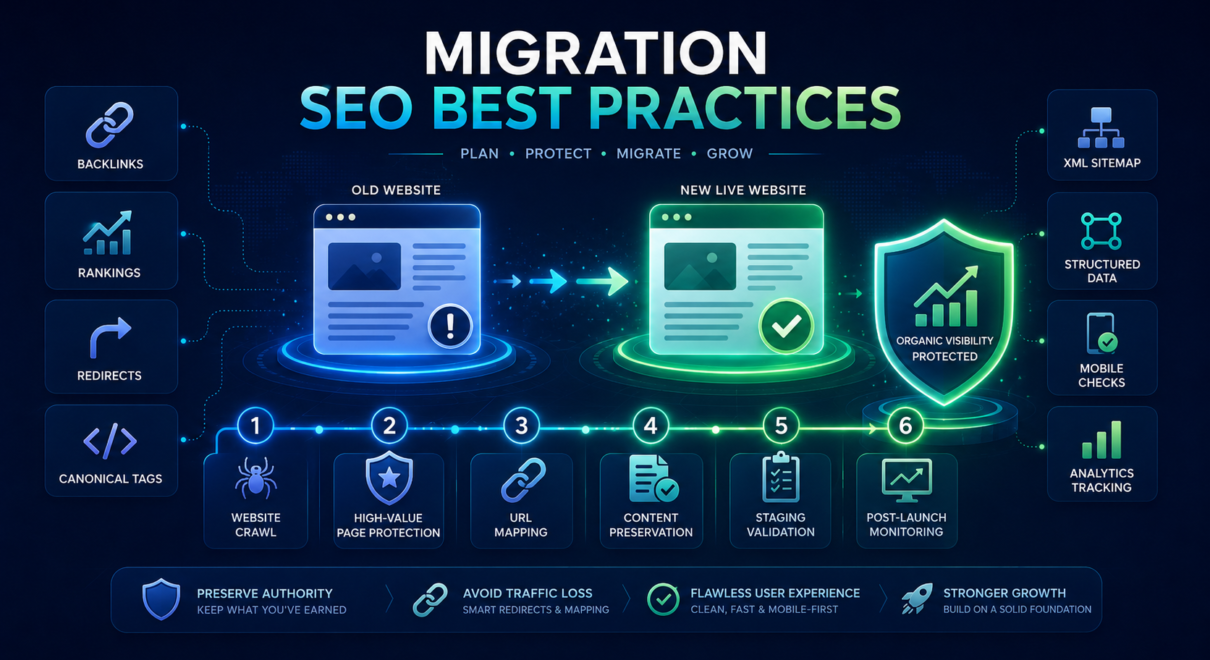
Website migrations can look very different depending on the platform involved.
Moving a WordPress website to a new host may mainly affect server settings, plugins, caching, and redirects. Moving an ecommerce store to Shopify may require a completely new URL structure, new templates, and new product or category organization. Migrating a custom-built website can involve server rules, application routing, database changes, and technical systems that do not transfer automatically.
Despite these differences, the goal remains the same: preserve the search visibility, rankings, traffic, backlinks, and indexation signals the existing website has already earned.
Following website migration SEO best practices helps reduce the risk of broken URLs, missing content, incorrect redirects, crawlability problems, canonical errors, and post-launch traffic loss.
This guide explains the universal principles that apply to most migrations, followed by platform-specific considerations for WordPress, Shopify, and custom websites.
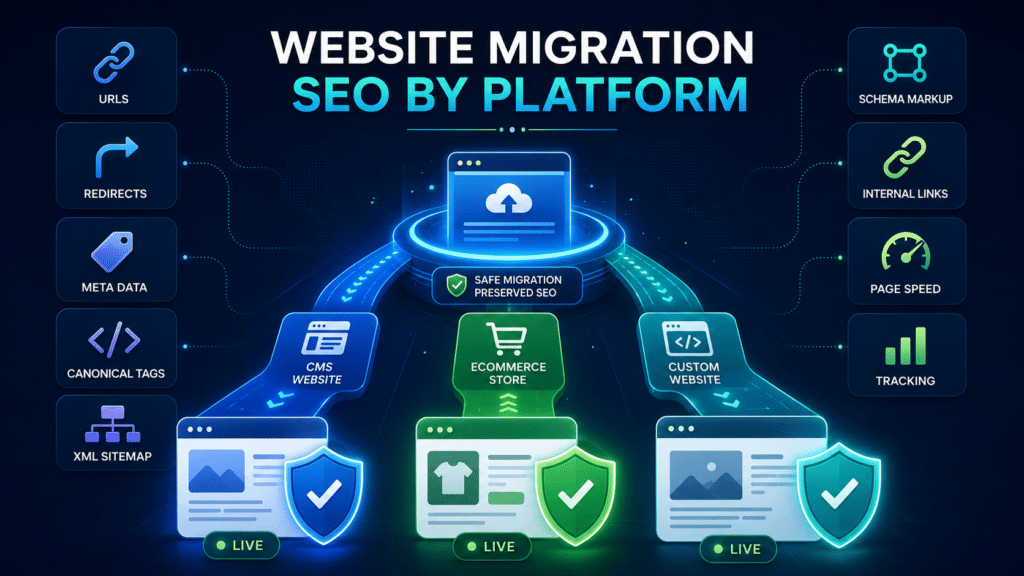
Why the Website Platform Changes the Migration Process
Every platform stores and generates website elements differently.
These elements may include:
- URLs
- redirects
- title tags
- meta descriptions
- canonical tags
- XML sitemaps
- robots.txt rules
- schema markup
- product data
- pagination
- category structures
- internal links
- image paths
- tracking scripts
A setting that transfers automatically in WordPress may need to be rebuilt manually in a custom CMS. A Shopify migration may generate URL folders that cannot be removed. A custom application may depend on server-side routes that behave differently in the new environment.
The platform affects both the technical migration and the SEO risks.
Platform | Common migration type | Main SEO risks |
|---|---|---|
WordPress | Hosting, theme, domain, or builder migration | Plugin settings, redirects, noindex tags, canonicals, speed |
Shopify | Platform migration from another ecommerce system | Forced URL structure, product redirects, collections, duplicate URLs |
Custom website | Server, framework, CMS, database, or domain migration | Routing, server rules, metadata, schema, dynamic rendering |
WordPress to Shopify | Full platform and ecommerce migration | URL restructuring, content loss, product/category mapping |
Shopify to custom platform | Full rebuild | Indexation, rendering, redirects, product data, filters |
Custom CMS to WordPress | CMS replacement | Template metadata, URL mapping, schema, internal links |
Because the risks differ, website migration SEO steps should be adapted to the platform rather than copied from a generic checklist.
Universal Website Migration SEO Best Practices
Before looking at individual platforms, several practices apply to nearly every migration.
These should form the core of the project.
Crawl the existing website
A complete pre-migration crawl creates a record of the current site.
It should collect:
- indexable URLs
- status codes
- title tags
- meta descriptions
- H1 headings
- canonical tags
- internal links
- redirects
- noindex directives
- structured data
- hreflang tags where relevant
- pagination
- image URLs
- sitemap URLs
This crawl becomes the baseline for post-launch comparison.
Identify high-value pages
Important pages should be identified before any URLs or templates change.
Priority pages may include:
- pages with organic traffic
- pages ranking for valuable keywords
- pages with backlinks
- top service pages
- ecommerce category pages
- high-converting product pages
- location pages
- high-performing blog articles
- landing pages generating leads
These pages require the most careful review.
Create a URL mapping document
If URLs are changing, every valuable old URL should be mapped to a relevant new URL.
A useful mapping file should include:
Field | Purpose |
|---|---|
Old URL | Current indexed address |
New URL | Planned destination |
Redirect type | Usually 301 for permanent moves |
Page type | Service, product, category, blog, location, other |
Organic traffic | Helps establish priority |
Backlinks | Identifies pages with external authority |
Content status | Preserved, rewritten, merged, or removed |
Testing status | Confirms redirect validation |
Redirect mapping should be completed before launch, not after 404 errors appear.
Preserve content and search intent
The destination page should continue serving the same or a closely related purpose.
A technically correct redirect may not preserve rankings if the new page is much weaker, less relevant, or substantially different from the old page.
Test staging carefully
The staging website should be reviewed for:
- crawlability
- URL structure
- metadata
- canonicals
- internal links
- mobile rendering
- structured data
- XML sitemap generation
- page speed
- analytics
- noindex settings
Staging should usually be blocked from public indexation, but those restrictions must be removed from the live site at launch.
Monitor after launch
Google Search Console, analytics, ranking tools, server logs, and website crawls should be reviewed closely after migration.
A migration is not complete when the new website goes live. It is complete when the new website is being crawled, indexed, ranked, and tracked correctly.
WordPress Migration SEO Best Practices
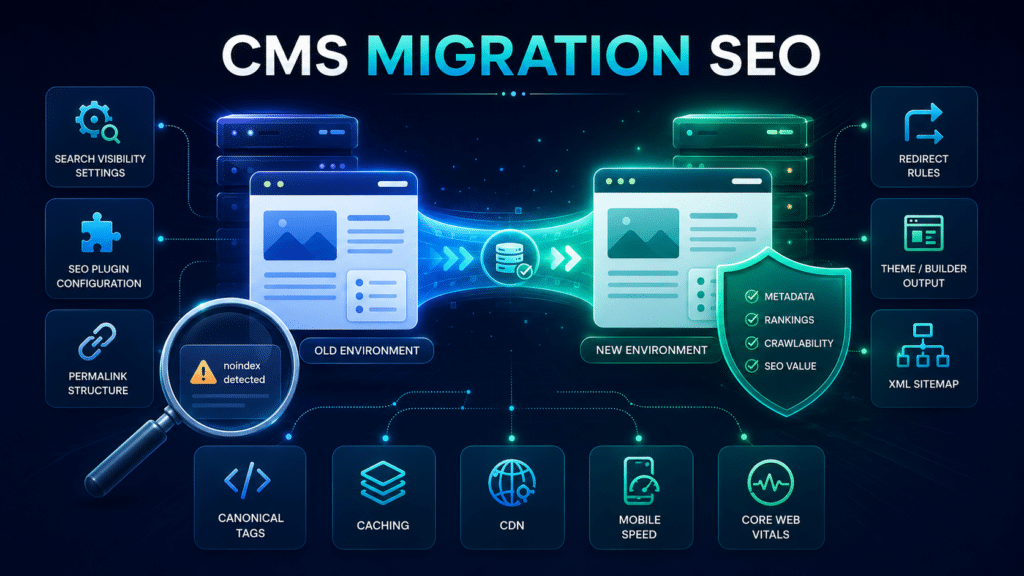
WordPress migrations are common because websites frequently change hosts, themes, page builders, plugins, or domains.
A basic WordPress hosting migration can be relatively low risk if URLs and content stay unchanged. However, WordPress has many settings that may create SEO problems if they are copied incorrectly or fail to transfer.
Check the WordPress visibility setting
WordPress includes a setting that can discourage search engines from indexing the site.
It is often enabled on staging websites.
After launch, check:
Settings → Reading → Search engine visibility
The option to discourage search engines should not remain enabled on the live site.
This single setting can add noindex directives across much of the website.
Review the SEO plugin configuration
Plugins such as Yoast SEO, Rank Math, or All in One SEO may control:
- title tags
- meta descriptions
- canonical tags
- XML sitemaps
- robots directives
- schema markup
- social metadata
- archive indexation
- taxonomy settings
After migration, confirm that the same plugin is active and configured correctly.
If the site changes SEO plugins, metadata and schema may not transfer automatically.
Preserve redirect rules
WordPress redirects may be stored in:
- a redirect plugin
- the .htaccess file
- hosting control-panel rules
- Cloudflare
- server configuration
- theme or custom plugin code
Do not assume redirects will move automatically with the database.
Export existing redirect rules before migration and test them after launch.
Check permalink settings
WordPress permalink settings affect URL structure.
Changing the permalink format during migration can alter many page and post URLs.
Review:
Settings → Permalinks
If the existing URL structure is performing well, avoid changing it without a clear reason and a complete redirect plan.
Review theme and page-builder changes
A new theme or builder can affect:
- headings
- page content
- internal links
- structured data
- mobile layout
- page speed
- image loading
- navigation
- footer links
- metadata output
For example, a new template may add an extra H1, remove breadcrumb schema, hide text on mobile, or generate slower pages.
The visual appearance alone is not enough to validate the migration.
Check caching and performance
A new WordPress host may use different caching rules, CDN settings, image optimization, or server technology.
Test:
- server response time
- page caching
- browser caching
- image compression
- lazy loading
- CSS and JavaScript behavior
- mobile performance
- Core Web Vitals
- plugin compatibility
Caching should improve performance without breaking pages, forms, menus, or tracking scripts.
WordPress migration checklist
Check | Why it matters |
|---|---|
Search engine visibility disabled | Prevents accidental sitewide noindex |
SEO plugin settings preserved | Protects metadata, canonicals, and schema |
Permalink structure unchanged | Avoids unnecessary URL changes |
Redirect rules transferred | Prevents old URLs returning 404 |
Theme output reviewed | Detects lost headings, links, and content |
Sitemap tested | Confirms correct URL discovery |
Caching validated | Protects speed and functionality |
Staging URLs removed | Prevents duplicate or incorrect signals |
A website migration SEO consultant should review both the WordPress backend settings and the public HTML output, because correct-looking admin settings do not always guarantee correct frontend implementation.
Shopify Migration SEO Best Practices
Shopify migrations often involve greater URL and structural changes than WordPress hosting migrations.
Shopify uses fixed URL folders for several page types, including:
- /products/
- /collections/
- /pages/
- /blogs/
If the old ecommerce platform used a different structure, redirects will be necessary.
Map every valuable product and category URL
Product and category pages often generate commercial traffic and have backlinks.
Create a complete mapping from:
- old product pages to new Shopify product pages
- old category pages to Shopify collections
- old informational pages to Shopify pages
- old blog content to Shopify blog URLs
- discontinued products to relevant alternatives or categories
Avoid redirecting discontinued products automatically to the homepage.
If a close replacement exists, use it. Otherwise, a relevant category may be the better destination.
Review collection and product duplication
Shopify can expose product pages through collection-based paths while canonicalizing them to the main product URL.
Review:
- product canonical tags
- collection product links
- internal linking patterns
- duplicate parameter URLs
- filter URLs
- tag pages
- pagination
The canonical version should remain clear and consistent.
Preserve product content and metadata
Product imports may not transfer all SEO elements cleanly.
Check:
- product titles
- product descriptions
- meta titles
- meta descriptions
- image alt text
- product schema
- availability
- price data
- variant information
- internal links
- related products
Category or collection content should also be preserved where it supports rankings.
A visually cleaner collection page may lose traffic if useful descriptive content disappears.
Check Shopify redirects
Shopify allows URL redirects through the admin area and CSV imports.
After importing redirects, test:
- high-traffic old URLs
- URLs with backlinks
- product URLs
- category URLs
- blog URLs
- HTTP and HTTPS behavior
- www and non-www behavior
Large migrations should not rely only on spot checks. A crawler should test the complete mapping file.
Review apps and script performance
Shopify apps can add scripts, widgets, tracking, reviews, filters, and structured data.
Too many apps may slow the website or create duplicate markup.
After migration, review:
- page speed
- script loading
- product schema
- review markup
- tracking
- cookie consent
- filter functionality
- mobile layout
Shopify migration checklist
Check | Why it matters |
|---|---|
Old products mapped to new products | Protects rankings and backlinks |
Old categories mapped to collections | Preserves commercial landing pages |
Canonicals validated | Controls duplicate product URLs |
Product metadata transferred | Protects relevance and click-through potential |
Collection content preserved | Maintains category-level topical coverage |
Redirect CSV tested | Detects missing and incorrect destinations |
Apps reviewed | Prevents speed and schema conflicts |
Sitemap submitted | Supports discovery of new Shopify URLs |
For ecommerce businesses, technical SEO for migration should also include revenue and conversion testing. A migration that preserves rankings but breaks checkout, product tracking, or conversion attribution is still unsuccessful.
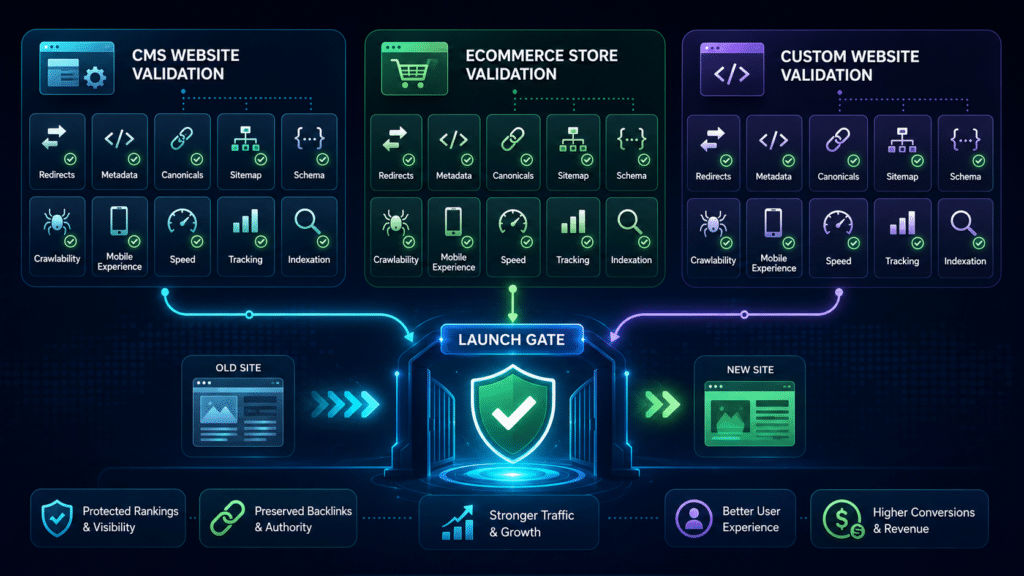
Custom Website Migration SEO Best Practices
Custom websites can provide more control, but they also create more migration complexity.
There may be no plugin or built-in interface controlling redirects, metadata, canonicals, sitemaps, or schema. These elements may be generated by application code, templates, APIs, databases, or server rules.
Document how SEO elements are generated
Before migration, identify where each SEO element comes from.
SEO element | Possible source on a custom website |
|---|---|
Title tags | Template, database, CMS field, application code |
Meta descriptions | CMS, database, page template |
Canonical tags | Template logic or routing system |
Redirects | Server configuration, application routes, CDN |
XML sitemap | Custom script, CMS, scheduled process |
Robots.txt | Static file, application route, server rule |
Schema markup | Template, API, custom component |
Internal links | CMS content, navigation system, dynamic components |
Without this documentation, important SEO functionality may be missed during the rebuild.
Review routing and status codes
Custom frameworks may handle routes differently.
Test:
- direct page requests
- uppercase and lowercase URLs
- trailing slashes
- query parameters
- deleted pages
- authentication redirects
- language versions
- HTTP and HTTPS
- www and non-www
- 404 handling
- server errors
A custom website should return accurate status codes.
A missing page that displays a friendly error message but returns a 200 status code creates a soft 404 problem.
Validate rendering
Some custom websites rely heavily on JavaScript.
Search engines can render JavaScript, but migration changes may affect whether important content and links are available in the initial HTML or only after scripts run.
Check whether search engines can access:
- main content
- navigation
- internal links
- product or service information
- metadata
- canonical tags
- structured data
Server-side rendering, static generation, and client-side rendering may produce different SEO outcomes.
Rebuild structured data carefully
Custom schema implementations may be sophisticated but easy to lose during a rebuild.
Compare old and new structured data for every major template type.
Create automated validation
For larger custom websites, automated migration tests can check:
- expected status codes
- redirect destinations
- canonical tags
- metadata presence
- robots directives
- sitemap inclusion
- structured data output
- internal links
This reduces reliance on manual spot checks.
Platform-Specific Risk Comparison
The table below summarizes the areas that usually require the most attention.
SEO area | WordPress | Shopify | Custom website |
|---|---|---|---|
URL structure risk | Moderate | High | Varies |
Redirect complexity | Moderate | High | High |
Metadata transfer | Plugin-dependent | Import-dependent | Development-dependent |
Canonical control | Usually easy | Partly platform-controlled | Fully custom |
Sitemap control | Plugin-generated | Platform-generated | Must be built or configured |
Schema preservation | Theme/plugin risk | Theme/app risk | Development risk |
Performance risk | Plugins/theme | Apps/theme | Code/infrastructure |
Staging noindex risk | High | Moderate | Varies |
Technical flexibility | High | Moderate | Highest |
Testing requirement | High | High | Very high |
No platform is automatically safe or unsafe.
The migration risk depends on how many elements change, how valuable the existing organic visibility is, and how carefully the project is tested.
Common Migration Mistakes Across All Platforms
Despite platform differences, several mistakes appear repeatedly:
- migrating without a pre-launch crawl
- changing URLs unnecessarily
- creating incomplete redirect maps
- removing useful content
- losing internal links
- publishing generic title tags
- leaving noindex settings live
- pointing canonicals to staging
- submitting incorrect sitemaps
- losing structured data
- breaking analytics
- ignoring mobile performance
- failing to test backlink destinations
- launching without Search Console monitoring
The platform may change how the mistake occurs, but the SEO outcome is often similar.
When to Use SEO Website Migration Services
Professional SEO website migration services are most useful when:
- the website receives meaningful organic traffic
- rankings generate leads or revenue
- URLs are changing
- the domain is changing
- the CMS or ecommerce platform is changing
- thousands of pages are involved
- products or categories are being reorganized
- the website has valuable backlinks
- the new site uses a different rendering system
- multiple languages or countries are involved
- the migration combines redesign, hosting, and platform changes
- an earlier migration caused traffic loss
The review should begin before development decisions are finalized.
An SEO specialist can help with:
- migration scope
- URL strategy
- redirect mapping
- content preservation
- staging review
- technical validation
- launch testing
- post-launch monitoring
The most effective time to identify migration risks is before the new website goes live.
Match the Migration Plan to the Platform
Successful migrations follow the same core principles, but the implementation must reflect the platform.
WordPress migrations require careful attention to plugin settings, permalink structure, themes, caching, and staging controls. Shopify migrations require detailed product and collection mapping, fixed URL structures, canonical review, and app validation. Custom migrations require strong documentation, routing tests, rendering checks, and development-level SEO validation.
Following website migration SEO best practices reduces avoidable risk, but generic checklists are not enough for every project.
The best migration plan combines universal SEO protections with platform-specific testing.
When organic traffic, rankings, backlinks, or ecommerce revenue are important, a website migration SEO consultant can review the existing website, migration plan, staging environment, and post-launch implementation before technical mistakes become traffic loss.