

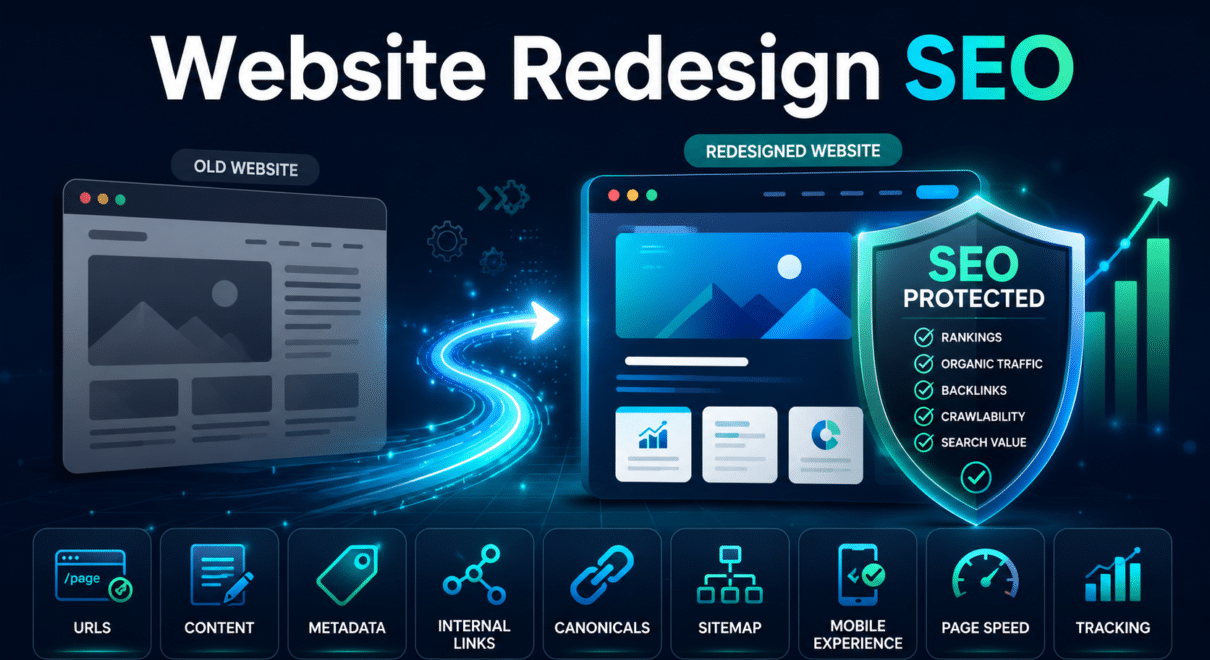
A website redesign can improve appearance, usability, mobile performance, conversions, and brand credibility. It can also create serious search visibility problems when SEO is treated as an afterthought.
So, does website redesign affect SEO?
Yes. A redesign can improve or damage SEO depending on what changes and how those changes are managed.
A primarily visual redesign that preserves URLs, content, internal links, metadata, and indexation settings may have limited impact. A redesign that changes page structure, removes content, replaces URLs, weakens internal links, or introduces technical problems can cause rankings and organic traffic to decline.
The redesign itself is not automatically harmful. The risk comes from changing signals that search engines already use to understand and rank the website.
This guide explains how website redesign and SEO influence each other, what changes create the most risk, and what businesses should check before launching a redesigned site.
How Can a Website Redesign Affect SEO?
Search engines evaluate more than the visual appearance of a website.
They rely on technical and content signals such as:
- page URLs
- title tags
- headings
- body content
- internal links
- canonical tags
- crawlability
- indexation
- structured data
- mobile usability
- page speed
- backlinks
- site architecture
A redesign may alter several of these signals at the same time.
For example, a new page template may remove supporting content. A simplified navigation may reduce internal links to important pages. A CMS change may generate different URLs. A new theme may produce slower pages or duplicate headings.
These changes can affect how Google understands page relevance and importance.
Redesign change | Potential SEO effect |
|---|---|
Visual styling only | Usually limited if content and technical elements remain stable |
New navigation | May improve or weaken internal linking and crawl depth |
Content rewrite | Can improve relevance or remove useful topical coverage |
URL changes | Requires accurate 301 redirects |
New CMS or page builder | May affect metadata, schema, speed, and indexation |
Mobile redesign | Can improve usability or hide important content |
Template replacement | May change headings, canonicals, links, and structured data |
Hosting change | May affect speed, uptime, SSL, and crawlability |
The more elements that change simultaneously, the greater the redesign risk.
When a Website Redesign Can Improve SEO

A redesign can support stronger search performance when it corrects existing weaknesses.
Potential improvements include:
- clearer website structure
- stronger navigation
- better mobile experience
- faster page loading
- improved service pages
- more useful content
- cleaner internal linking
- stronger calls to action
- corrected technical errors
- better structured data
- improved accessibility
- more logical URL organization
For example, an old website may have thin service pages, confusing navigation, poor mobile usability, and outdated templates. A carefully planned redesign can make important pages easier to find, improve content depth, and reduce technical problems.
A redesign can also improve conversion performance. Even when rankings remain stable, clearer layouts and stronger calls to action may help more visitors become leads or customers.
The key is to preserve existing SEO value while improving weak areas.
When a Website Redesign Can Hurt SEO
A redesign can damage search performance when important SEO signals are removed or changed without planning.
Common causes include:
- changing URLs without redirects
- deleting pages with rankings or backlinks
- reducing useful content
- replacing optimized headings with generic language
- losing title tags and meta descriptions
- weakening internal links
- leaving staging noindex tags on live pages
- blocking important sections in robots.txt
- pointing canonicals to the wrong URLs
- removing structured data
- slowing down the website
- hiding content on mobile
- breaking analytics or conversion tracking
These problems may affect individual pages or the entire website.
Type of problem | Likely result |
|---|---|
Missing redirects | Old URLs return 404 errors and lose continuity |
Removed ranking content | Pages may become less relevant |
Generic metadata | Keyword relevance and click-through potential may decline |
Weaker internal links | Important pages receive less internal authority |
Noindex left on live pages | Pages may disappear from search |
Canonical errors | Google may index the wrong URL |
Slower page speed | User experience and conversions may weaken |
Broken tracking | Performance may appear worse even if rankings are stable |
Most redesign-related SEO losses are preventable.
Website Redesign SEO Considerations Before Development Begins
The best time to consider SEO is before the new design is finalized.
Important website redesign SEO considerations include:
- which pages currently receive organic traffic
- which pages rank for valuable keywords
- which URLs have backlinks
- which pages generate leads or sales
- whether URLs will change
- whether content will be rewritten
- whether navigation will change
- whether the CMS or page builder will change
- whether important schema will remain
- whether the redesign affects mobile content
- how redirects will be implemented
- how performance will be tested
SEO should influence planning decisions rather than being added only after development is complete.
If the design is already finished before SEO is reviewed, important content areas, links, or page structures may need to be rebuilt.
Identify the Pages That Must Be Protected
Before redesigning the website, identify high-value pages.
These commonly include:
- homepage
- main service pages
- product and category pages
- location pages
- high-traffic blog articles
- pages ranking for commercial keywords
- pages with backlinks
- pages generating conversions
- pages linked from Google Business Profile
- campaign landing pages
For each important page, determine:
- whether the URL will stay the same
- whether the content will be preserved
- whether the page will be expanded
- whether it will be merged
- whether a redirect is required
- whether internal links will still point to it
- whether metadata and headings will change
A page should not be removed simply because it does not fit the new visual layout.
Its search and business value should be reviewed first.
Should URLs Change During a Redesign?
Important URLs should generally remain unchanged when the page purpose remains the same.
Keeping URLs stable reduces migration complexity and makes it easier to preserve rankings, backlinks, and indexation signals.
For example, if a service page remains focused on the same service, there may be little reason to change its address.
When URL changes are necessary, each old URL should redirect to the closest relevant new URL using a 301 redirect.
Good redirect mapping looks like this:
Old page | Best destination |
|---|---|
Old service URL | New version of the same service page |
Old category URL | Closest equivalent new category |
Updated blog article | New URL for the same article |
Merged page | New consolidated page |
Removed product | Relevant replacement or category |
Obsolete page with no equivalent | 404 or 410 may be appropriate |
Redirecting every old page to the homepage is usually not a good solution. The destination should match the old page’s purpose as closely as possible.
Preserve Content That Supports Rankings
Modern redesigns often emphasize large visuals, short text blocks, and minimalist layouts.
That may improve appearance, but reducing content too aggressively can weaken SEO.
A page may rank because it includes:
- detailed service explanations
- FAQs
- location information
- product specifications
- comparison sections
- supporting subtopics
- relevant terminology
- case studies
- trust signals
- contextual internal links
If the new page removes much of this information, Google may reassess its relevance.
Content does not need to remain word-for-word identical. It can be rewritten, reorganized, and improved. However, the redesigned page should still answer the search intent fully.
The new version should ideally be at least as useful as the old one.
Review Titles, Headings, and Metadata
A new CMS, theme, or page template can change metadata automatically.
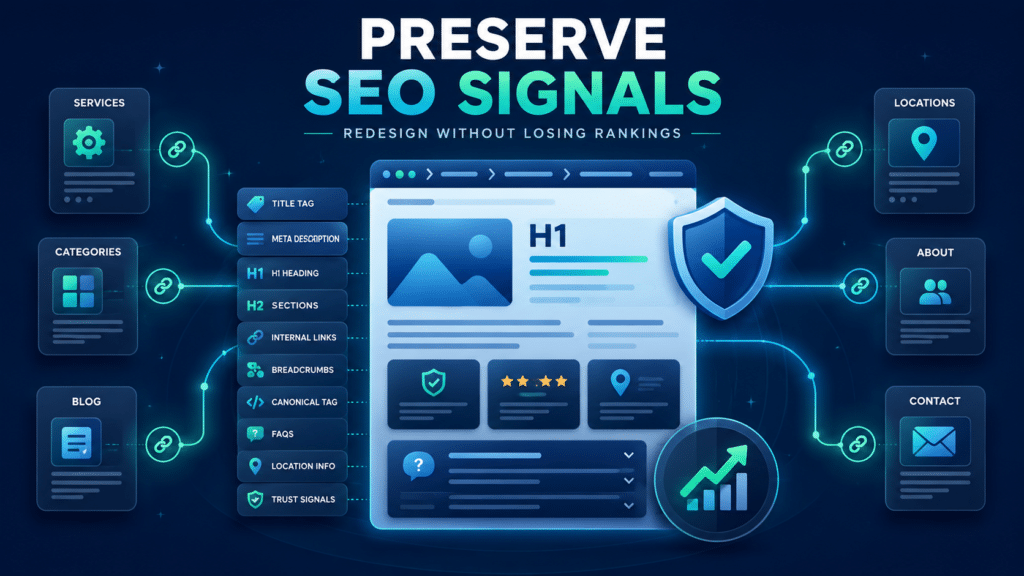
Before launch, review:
- title tags
- meta descriptions
- H1 headings
- H2 and H3 structure
- canonical tags
- Open Graph metadata
- schema output
A page that previously targeted a clear service term should not launch with a generic title such as “Services.”
Similarly, headings should describe the page’s actual topic rather than relying only on promotional language.
For example:
Weak H1:
Solutions Designed for You
Clearer H1:
Commercial Pest Control Services in Austin
Creative language can still be used elsewhere on the page, but the primary heading should establish clear context.
Protect Internal Links and Site Structure
Internal links help users and search engines navigate the website.
During redesign, important links may disappear because:
- navigation is simplified
- footer sections are removed
- blog links are deleted
- service cards are rebuilt incorrectly
- breadcrumbs are removed
- JavaScript replaces crawlable HTML links
- important pages become deeper in the site
A redesigned website should make important pages easier to reach.
Compare old and new internal linking for:
- main services
- product categories
- priority locations
- key blog articles
- conversion pages
- pages with strong rankings
Important pages should remain accessible through logical, crawlable links.
Check Staging, Noindex, and Robots.txt Settings
Redesigned websites are normally developed on a staging environment.
Staging sites should be protected from indexing, but those restrictions must not remain on the live website.
Before launch, check for:
- meta robots noindex tags
- X-Robots-Tag headers
- robots.txt blocks
- password protection
- staging canonicals
- staging sitemap URLs
- staging internal links
- temporary development redirects
A live website can look fully functional to users while remaining blocked from Google.
This is one of the most serious but preventable redesign errors.
Validate Canonical Tags and XML Sitemaps
Canonical tags should point to the correct live URLs.
They should not reference:
- the staging domain
- the old domain
- HTTP versions
- redirected URLs
- unrelated pages
- duplicate parameter versions
The XML sitemap should include only canonical, indexable URLs that return a 200 status code.
It should exclude:
- old URLs
- redirected URLs
- staging URLs
- noindex pages
- 404 errors
- test pages
- duplicate versions
After launch, submit or review the sitemap in Google Search Console.
Review Mobile Experience
A website redesign should be checked carefully on mobile devices.
Important content and links should not disappear simply because the mobile layout is more compact.
Review:
- navigation
- page content
- headings
- forms
- buttons
- images
- internal links
- popups
- font size
- layout stability
- page speed
A redesigned page may look attractive on desktop but perform poorly on mobile if menus are difficult to use, content is hidden, or scripts slow the page.
Mobile usability should be evaluated as part of SEO for website redesign, not as a separate cosmetic check.
Test Page Speed Before and After Launch
Redesigns often introduce additional images, animations, scripts, fonts, videos, and page-builder elements.
These may improve appearance while making the site slower.
Compare old and new versions of important pages.
Review:
- server response
- Largest Contentful Paint
- Interaction to Next Paint
- Cumulative Layout Shift
- image size
- script execution
- caching
- CDN setup
- mobile performance
A practical comparison can help reveal whether the redesign actually improved performance.
Metric | Old website | Staging site | Live site |
|---|---|---|---|
Server response time | Record baseline | Compare | Validate |
Largest Contentful Paint | Record baseline | Compare | Monitor |
Interaction to Next Paint | Record baseline | Compare | Monitor |
Cumulative Layout Shift | Record baseline | Compare | Monitor |
Page weight | Record baseline | Compare | Review growth |
There is no universal score that guarantees rankings, but major performance deterioration should be addressed before launch.
Confirm Analytics and Conversion Tracking
A website redesign can break tracking even when rankings remain stable.
Confirm that the new website correctly tracks:
- organic visits
- form submissions
- phone clicks
- ecommerce transactions
- newsletter signups
- downloads
- thank-you pages
- CRM integrations
- call tracking
- Google Tag Manager events
Compare Google Analytics with Google Search Console after launch.
If Analytics traffic drops while Search Console clicks remain stable, the problem may be tracking rather than SEO.
Crawl and Monitor the Website After Launch
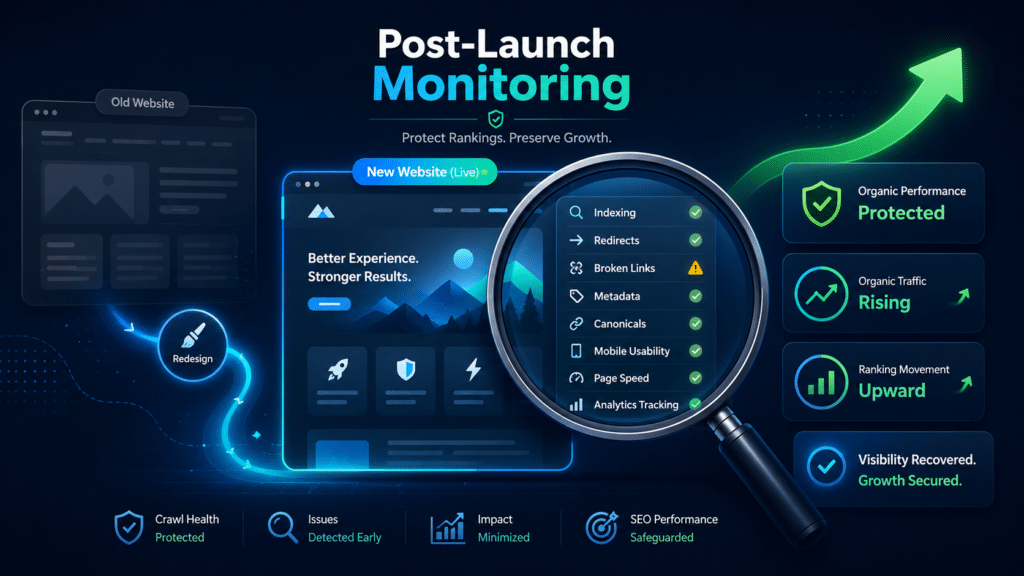
Once the redesigned site is live, crawl it and compare the results with the old website.
Look for:
- missing pages
- 404 errors
- incorrect redirects
- redirect chains
- missing title tags
- duplicate metadata
- missing H1 headings
- noindex pages
- canonical errors
- broken internal links
- sitemap issues
- missing structured data
Google Search Console should also be monitored for:
- indexing changes
- crawl errors
- canonical selection
- impressions
- clicks
- ranking movement
- Core Web Vitals
- mobile issues
Some ranking fluctuation may occur after a large redesign. A sharp or sustained decline should be investigated.
Website Redesign SEO Checklist
Before launching, confirm the following:
- Crawl the current website
- Identify high-value pages
- Export traffic and ranking data
- Review pages with backlinks
- Preserve important URLs where possible
- Prepare 301 redirects for changed URLs
- Preserve or improve important content
- Review titles, descriptions, and headings
- Protect internal links
- Check staging restrictions
- Validate canonical tags
- Update the XML sitemap
- Preserve structured data
- Test mobile layouts
- Compare page speed
- Confirm analytics and conversions
- Crawl the new website
- Monitor Google Search Console
This checklist does not replace a full website redesign SEO audit, but it helps prevent the most common problems.
Improve the Website Without Erasing Its Search Value
A redesign should improve the website’s appearance, usability, performance, and ability to convert visitors. It should not erase the organic visibility already built over time.
The safest approach is to treat design and SEO as connected parts of the same project.
Important URLs should be protected, ranking content should be preserved or improved, redirects should be mapped carefully, and technical settings should be checked before launch.
When the main SEO considerations for website redesign are addressed early, the new website can improve user experience without creating avoidable ranking and traffic losses.
A website redesign SEO audit can help identify risks in the current website, staging environment, redirect plan, content changes, and technical setup before the redesigned site goes live.