

A sudden drop in organic traffic can feel alarming, especially if your website was previously getting stable visibility from Google. One week the numbers look normal, and the next week clicks, impressions, rankings, leads, or sales are noticeably lower.
The first reaction is often to assume the worst: a Google penalty, a major algorithm update, or a serious technical problem. Sometimes that is true. But in many cases, the cause is less obvious. A sudden drop in organic traffic can happen because of tracking issues, seasonal demand changes, indexing problems, website changes, lost rankings, content quality issues, lost backlinks, or changes in the search results themselves.
The most important thing is not to panic or start changing everything at once.
A traffic drop needs diagnosis before action. If you react too quickly, you may fix the wrong problem or create new issues. The better approach is to confirm what actually dropped, when it started, which pages were affected, and whether the issue is technical, content-related, algorithm-related, or caused by something outside SEO.
This guide explains what a sudden organic traffic drop usually means and what to check first before building a recovery plan.
What Counts as a Sudden Drop in Organic Traffic?
A sudden drop in organic traffic usually means a noticeable decline in visits from unpaid search results over a short period of time. For some websites, that may be a 15% decrease. For others, it may be 40%, 60%, or more.
The seriousness depends on the normal traffic pattern.
A website that gets seasonal demand may naturally rise and fall during the year. A blog may see traffic drop after a trending topic loses interest. An ecommerce store may experience weekly or monthly fluctuations. A local business may see demand shift depending on weather, holidays, or market behavior.
A drop becomes more concerning when:
- organic traffic falls sharply compared with the previous period
- Google Search Console clicks and impressions both decline
- important keywords lose rankings
- top-performing pages lose visibility
- leads, calls, sales, or bookings decline
- the drop happens shortly after a website change
- the drop aligns with a Google algorithm update
- only organic traffic drops while other channels remain stable
The first step is to separate a real SEO issue from normal fluctuation.
First, Confirm the Drop Is Real
Before investigating rankings, content, or technical SEO, confirm that the traffic drop is not caused by reporting or tracking problems.
Analytics tools can break or misreport data. Tracking codes can be removed during website updates. Consent banners, tag manager changes, analytics migrations, and plugin conflicts can affect traffic reporting.
Start by checking:
- Google Analytics organic traffic
- Google Search Console clicks
- Google Search Console impressions
- rankings for important keywords
- website leads, forms, calls, or sales
- tracking code installation
- recent analytics or tag manager changes
If Google Analytics shows a traffic drop but Google Search Console clicks look stable, the issue may be tracking-related rather than SEO-related.
If both Analytics and Search Console show a drop, the decline is more likely connected to organic search visibility.
It is also useful to compare different date ranges:
- last 7 days vs previous 7 days
- last 28 days vs previous 28 days
- current month vs previous month
- current period vs same period last year
Year-over-year comparison is especially important for seasonal businesses.
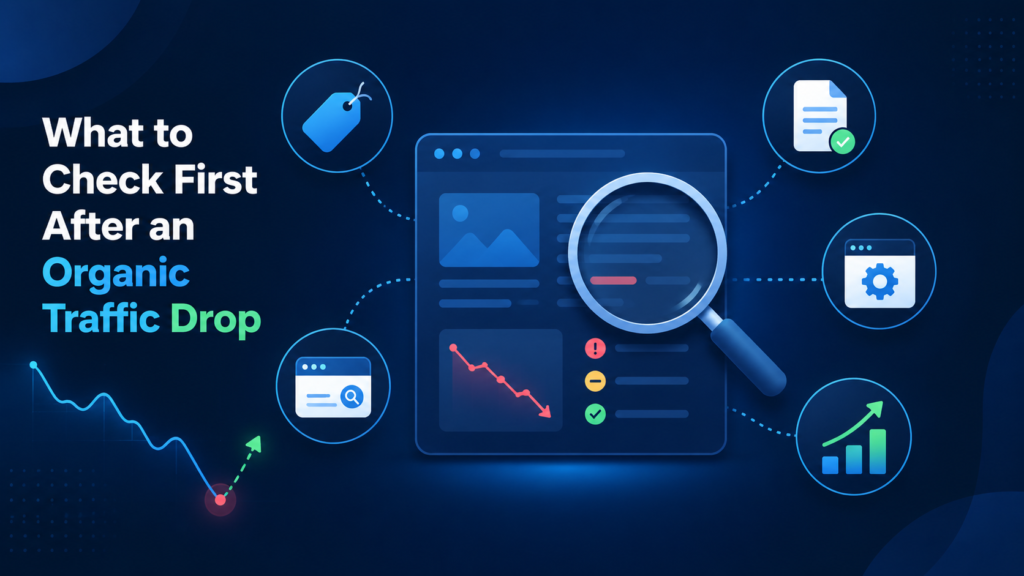
Check Whether the Drop Is Organic, Paid, Direct, or Referral
Not every website traffic drop is an SEO problem.
A total website traffic decline may come from paid ads, social media, referral traffic, email campaigns, direct visits, or tracking issues. That is why it is important to isolate organic traffic specifically.
If total traffic dropped but organic traffic is stable, the problem may not be SEO. It could be paid campaign changes, email campaign delays, referral source loss, or analytics attribution changes.
If organic traffic dropped while other channels remained stable, then SEO should be investigated more deeply.
In Google Analytics, review traffic by channel. In Google Search Console, review clicks and impressions from Google Search. If you rely on other tools such as Ahrefs, SEMrush, or rank tracking software, compare those as supporting data, but treat Search Console as one of the most important sources for Google organic performance.
Identify the Exact Date the Drop Started
The date of the traffic drop can reveal a lot.
Once you know the approximate start date, compare it against:
- Google algorithm update dates
- website redesigns
- CMS or theme updates
- migration or URL changes
- content changes
- robots.txt changes
- sitemap changes
- canonical tag changes
- noindex tag changes
- server downtime
- hosting issues
- major backlink losses
- tracking changes
If the drop started immediately after a redesign, migration, or technical update, the cause may be site-related. If it started around a confirmed Google update, algorithmic changes may be involved. If the drop happened gradually, content decay, competitor improvements, or authority loss may be more likely.
Do not rely only on the date, but use it as a starting clue.
Review Google Search Console Data
Google Search Console is one of the most useful tools for diagnosing organic traffic drops.
Start with the Performance report.
Look at:
- total clicks
- total impressions
- average position
- click-through rate
- affected queries
- affected pages
- affected countries
- affected devices
- search appearance changes
The pattern matters.
If impressions dropped, Google is showing your pages less often. That may point to ranking loss, indexing issues, content relevance changes, or reduced demand.
If impressions are stable but clicks dropped, the issue may be lower rankings, reduced CTR, changed SERP features, rewritten titles, stronger competitors, or lower searcher interest.
If only a few pages dropped, the issue may be page-specific. If the whole site dropped, the cause may be technical, algorithmic, or sitewide.
Next, compare affected pages before and after the drop. Look for your top pages that lost the most clicks. These pages usually deserve the first investigation because they had the highest impact on traffic.
Check If Important Pages Are Still Indexed
Indexing problems are one of the most common causes of sudden organic visibility loss.
If Google stops indexing important pages, organic traffic can fall quickly.
Check affected URLs using Google Search Console’s URL Inspection tool. Confirm whether the page is indexed and whether Google is allowed to crawl it.
Look for issues such as:
- noindex tags
- robots.txt blocks
- incorrect canonical tags
- soft 404s
- redirect errors
- crawl errors
- server errors
- duplicate page selection
- blocked resources
- sitemap issues
A page can also remain live for users but become unavailable or less accessible to search engines. This sometimes happens after plugin changes, theme updates, staging site mistakes, migration errors, or accidental noindex settings.
If several important pages dropped from the index around the same time, technical SEO should become the top priority.
Check for Recent Website Changes
A sudden drop in organic traffic often follows a website change.
Common changes that can affect SEO include:
- redesigns
- migrations
- URL structure changes
- page deletions
- content rewrites
- navigation changes
- internal linking changes
- redirects
- canonical updates
- CMS changes
- theme or plugin updates
- hosting changes
- schema changes
- sitemap changes
Even small changes can affect rankings if they alter important SEO signals.
For example, a redesign may remove internal links to important pages. A content update may remove keyword relevance. A migration may create redirect chains or broken URLs. A new template may accidentally change title tags or headings. A plugin update may add noindex tags or change canonical settings.
If the traffic drop happened after a known website change, compare the old and new versions of affected pages where possible.
Check for Google Algorithm Updates
Google updates can cause sudden drops in organic traffic, especially if the update affects content quality, spam signals, product reviews, helpfulness, authority, user experience, or search intent.
If the drop aligns with a Google update, do not assume the entire site is “penalized.” Most algorithmic drops are not manual penalties. They usually mean Google has re-evaluated pages, competitors, intent, or quality signals.
Check:
- whether the drop date aligns with a known update
- which pages dropped most
- whether only certain topics were affected
- whether competitors gained visibility
- whether search intent changed
- whether content is outdated or thin
- whether pages lack trust signals
- whether the site has quality or duplication issues
Algorithm-related recovery usually requires careful analysis. Simply changing titles or adding a few keywords is rarely enough.
Review Ranking Changes
Traffic drops often happen because rankings dropped for important keywords.
Use your rank tracker, Google Search Console, or SEO tools to check:
- which keywords lost positions
- whether rankings dropped slightly or disappeared
- whether the same pages still rank
- whether new competitors appeared
- whether Google is ranking a different page from your site
- whether local rankings changed by location
- whether branded and non-branded keywords behaved differently
A small ranking drop from position 2 to position 5 can cause a noticeable traffic decrease. A drop from page one to page two can reduce clicks sharply. Losing rankings for a few high-traffic pages can make the entire site look like it declined.
Also check whether the drop is sitewide or limited to specific keyword groups. If only one topic cluster dropped, the cause may be content relevance or competitor improvements. If many unrelated pages dropped, technical or algorithmic issues may be more likely.
Check SERP Changes and Search Intent
Sometimes traffic drops even when your rankings do not change much.
Google search results can change. New SERP features, AI summaries, local packs, shopping results, video results, featured snippets, image packs, and ads can reduce organic click-through rates.
Search intent can also shift. A keyword that previously favored informational articles may begin showing product pages, local results, comparison pages, or large authoritative sites.
Check the current SERP manually for affected keywords.
Ask:
- Did Google add more ads?
- Is there a local pack now?
- Are AI or featured results taking attention?
- Did competitors improve titles and snippets?
- Are different types of pages ranking now?
- Did Google shift from blog content to service pages?
- Are larger brands dominating the results?
- Is your page still matching search intent?
If search intent changed, recovery may require changing page format, content depth, structure, or target keyword strategy.
Review Content Quality and Relevance
Content can lose performance over time.
A page that ranked well last year may become outdated, too thin, less relevant, or weaker than competitor pages. Competitors may publish better guides, more detailed service pages, stronger product pages, or more helpful answers.
Review affected pages for:
- outdated information
- thin content
- weak headings
- missing FAQs
- poor search intent match
- weak internal links
- low topical depth
- duplicate or similar content
- lack of trust signals
- poor formatting
- missing examples
- outdated screenshots or data
- weak calls to action
A content-related drop does not always mean the content is “bad.” It may simply mean competitors improved, Google changed what it prefers for the query, or the page no longer fully satisfies the intent.
Content refreshes can help, but they should be based on careful comparison, not random rewriting.
Check Internal Links and Site Structure
Internal linking helps Google understand which pages matter and how topics are connected.
If internal links were removed, navigation changed, breadcrumbs broke, or important pages became harder to find, rankings can decline.
Check whether affected pages:
- still have internal links from important pages
- are linked from navigation or hub pages
- are orphaned
- lost links during a redesign
- have relevant contextual internal links
- link to related service or support pages
- are buried too deep in the site
For example, if a category page or service page used to receive many internal links but now receives few, Google may treat it as less important.
Internal linking is one of the most practical recovery areas because it is fully under your control.
Review Backlink Losses
Backlinks are not always the cause of a traffic drop, but they should be checked.
A website can lose rankings if important backlinks disappear, become nofollow, point to redirected or broken pages, or lose value over time.
Review:
- recently lost referring domains
- links to affected pages
- links pointing to 404 URLs
- redirects from old linked pages
- anchor text distribution
- competitor backlink growth
- toxic or suspicious link spikes
- important links that changed status
A few lost links may not matter. But losing strong links to key pages can affect rankings, especially in competitive niches.
If backlinks were lost because old URLs now return 404 errors, redirect recovery may help restore some value.
Check Manual Actions and Security Issues
Manual actions are less common than algorithmic or technical issues, but they should still be checked.
In Google Search Console, review:
- Manual Actions
- Security Issues
- Pages indexing reports
- Crawl stats if needed
Manual actions may relate to unnatural links, spam, thin content, cloaking, user-generated spam, or other violations. Security issues may involve malware, hacked content, or injected pages.
If there is a manual action, recovery requires addressing the specific issue and submitting a reconsideration request where appropriate.
If there is no manual action, the drop is more likely algorithmic, technical, content-related, or competitive.
When a Traffic Drop Needs a Professional Audit
Some traffic drops are simple. Others are complex.
A professional audit becomes more useful when:
- the drop is large or sudden
- important leads or sales are affected
- Google Search Console clicks and impressions declined
- rankings dropped across many keywords
- the drop followed a migration or redesign
- the cause is not obvious
- technical issues may be involved
- multiple pages or sections are affected
- the drop aligns with a Google update
- previous SEO work may have caused problems
- the business needs a recovery roadmap
A proper website traffic loss audit should identify likely causes, affected pages, technical issues, content problems, ranking patterns, backlink changes, and recovery priorities.
The goal is not just to explain what happened. The goal is to create a practical plan for what to fix first.
Start With Diagnosis Before Recovery
A sudden drop in organic traffic does not always have one simple cause. It may come from technical issues, ranking changes, content problems, Google updates, lost backlinks, website changes, or tracking errors.
The right response is not to change everything immediately. The right response is to diagnose the drop carefully.
Start by confirming the decline, identifying affected pages, checking Search Console, reviewing indexing, looking at recent changes, and comparing the timing with Google updates. Once the cause is clearer, recovery becomes much more focused.
If the drop is significant, unclear, or affecting leads and revenue, a professional traffic and rankings loss audit can help identify the most likely causes and turn the investigation into a recovery roadmap.