

A drop in Google rankings can be frustrating, especially when your website was previously performing well for important keywords. One day your pages are visible near the top of search results, and later they slide down, disappear from page one, or stop bringing the same level of traffic and leads.
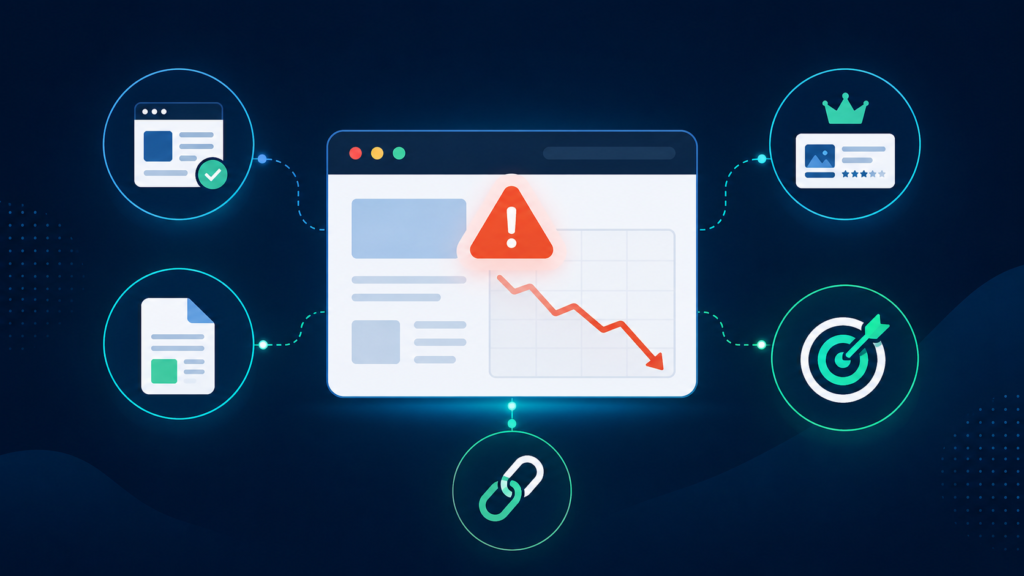
The first instinct is often to assume there was a penalty or a major Google update. Sometimes that is the case, but rankings can drop for many reasons. The cause may be technical, content-related, competitive, algorithmic, local, or connected to changes made on the website.
A Google rankings drop should not be treated with guesswork. Before rewriting pages, building links, changing titles, or redesigning anything, you need to understand what actually changed.
This guide explains the most common reasons Google rankings drop, what to check first, and how to start building a practical recovery plan.
Google Rankings Drop vs Normal Ranking Fluctuations
Not every ranking movement is a serious problem.
Google rankings naturally fluctuate. A keyword may move from position 4 to position 6, then return a few days later. Local rankings may change depending on where the searcher is located. Google may test different pages, snippets, or SERP features before settling.
A rankings drop becomes more concerning when:
- important keywords drop sharply
- several pages lose rankings at the same time
- rankings drop and traffic also declines
- the drop lasts more than a few days
- high-intent keywords fall from page one
- Google Search Console impressions decline
- leads, calls, or sales decrease
- the drop follows a website update, migration, or redesign
- the timing matches a Google algorithm update
The first step is to separate normal fluctuation from a real visibility loss.
Identify Which Keywords and Pages Dropped
Before looking for causes, identify the exact scope of the drop.
Do not only look at average position across the whole site. Average ranking data can hide the real problem. Instead, check which keywords dropped, which pages lost visibility, and whether the decline is isolated or sitewide.
Start by checking:
- affected keywords
- affected URLs
- date the drop started
- ranking positions before and after the drop
- Google Search Console clicks and impressions
- whether branded keywords were affected
- whether non-branded keywords were affected
- whether local rankings changed by city or device
If only one page dropped, the issue may be page-specific. If many unrelated pages dropped at the same time, the cause may be technical, algorithmic, or sitewide.
If only a specific topic group declined, the issue may be content relevance, search intent, competitor improvements, or topical authority.
Check Google Search Console First
Google Search Console is one of the best places to investigate ranking drops.
Open the Performance report and compare the period before the drop with the period after the drop.
Look for:
- queries with fewer clicks
- queries with fewer impressions
- pages that lost visibility
- average position changes
- click-through rate changes
- country or device differences
- pages that disappeared from search results
The pattern matters.
If impressions declined, Google may be showing your pages less often. This can happen because rankings dropped, pages lost indexation, competitors improved, or Google changed how it interprets the query.
If impressions are stable but clicks dropped, rankings may have fallen slightly, snippets may be weaker, SERP features may be taking attention, or user behavior may have changed.
If a page still gets impressions but fewer clicks, review the title, meta description, ranking position, and search result layout. If impressions and clicks both fell sharply, investigate ranking loss, indexing, technical issues, and algorithmic changes.
Check Whether the Page Is Still Indexed
A ranking drop can happen when a page is still live on the website but no longer properly indexed by Google.
Use the URL Inspection tool in Google Search Console for affected pages. Confirm whether the page is indexed and whether Google selected the correct canonical URL.
Check for:
- accidental noindex tags
- robots.txt blocks
- incorrect canonical tags
- redirect problems
- soft 404 issues
- duplicate page selection
- crawl errors
- sitemap problems
- server errors
- blocked resources
This is especially important after website redesigns, migrations, plugin updates, CMS changes, and template changes.
If Google cannot properly crawl or index the page, content and backlinks may not help until the technical issue is fixed.
Review Recent Website Changes
One of the most common reasons rankings drop is that something changed on the website.
Even small changes can affect SEO if they alter page structure, internal links, content relevance, URLs, or indexation signals.
Review whether any of these happened before the drop:
- website redesign
- platform migration
- URL structure changes
- page deletions
- content rewrites
- title or heading changes
- navigation changes
- internal linking changes
- redirect updates
- canonical changes
- robots.txt changes
- sitemap changes
- theme or plugin updates
- hosting changes
- schema changes
For example, a redesign may remove important text from service pages. A migration may create redirect chains. A new template may change H1 tags across the site. A content update may remove keywords or sections that helped the page match search intent.
If the drop started shortly after a known change, that change should be investigated first.
Check for Google Algorithm Updates
Google algorithm updates can cause rankings to move across many websites.
If your Google rankings dropped around the same time as a major update, the decline may be algorithmic. That does not always mean your website did something wrong. It may mean Google reassessed quality, relevance, trust, backlinks, user intent, or competitor strength.
When reviewing a possible algorithm-related drop, check:
- whether the drop date matches a known update
- which pages or topics were affected
- whether competitors gained rankings
- whether Google changed the type of pages ranking
- whether your content is outdated or thin
- whether the affected pages lack trust signals
- whether search intent shifted
- whether similar pages across the site declined
Avoid reacting too quickly to algorithm updates. Rankings can fluctuate during rollout periods. However, if the decline remains, you need to identify patterns and compare affected pages against current ranking competitors.
A few minor edits are usually not enough for algorithmic recovery. The recovery plan may need content improvements, technical fixes, authority building, better page structure, improved trust signals, and stronger topical coverage.
Review Search Intent Changes
Sometimes rankings drop because Google changes what it wants to show for a keyword.
For example, a keyword that previously ranked informational blog posts may begin showing service pages. A keyword that once showed ecommerce category pages may shift toward buying guides or comparison pages. A local pack may appear where it did not appear before.
Search intent changes can push a page down even if the page itself did not become worse.
Check the current SERP manually for your affected keywords.
Ask:
- What type of pages are now ranking?
- Are they service pages, blog posts, product pages, category pages, or local results?
- Are competitors covering the topic more deeply?
- Are results more commercial than before?
- Are results more informational than before?
- Did Google add local packs, videos, shopping results, or AI-style summaries?
- Does your page still match what users seem to want?
If your page no longer matches search intent, recovery may require changing the page format, adding sections, improving structure, or targeting a better keyword variation.
Compare Your Page With Current Competitors
A rankings drop can happen because competitors improved.
SEO is not only about your website. It is also about what other websites are doing. If competitors publish better content, improve service pages, gain stronger backlinks, add useful FAQs, improve internal links, or strengthen local signals, your page may move down.
Compare your affected page with the pages currently ranking above it.
Review:
- content depth
- search intent match
- headings and structure
- topical coverage
- internal links
- trust signals
- reviews or testimonials
- page speed and UX
- backlinks to the page
- domain authority
- freshness of information
- local relevance if applicable
The goal is not to copy competitors. The goal is to understand what Google may be rewarding and where your page is weaker.
If several competitors improved while your page stayed the same, the drop may not be caused by a penalty or technical issue. It may simply be a competitive gap.
Check Content Quality and Relevance
Content can lose rankings over time if it becomes outdated, too thin, poorly structured, or less useful than competing pages.
Review affected content for:
- outdated information
- missing sections
- weak intro
- unclear headings
- thin explanations
- poor formatting
- lack of examples
- missing FAQs
- weak internal links
- duplicated content
- keyword mismatch
- weak trust signals
- poor alignment with current SERPs
A content-related ranking drop does not always mean the content is “bad.” It may mean the page is no longer strong enough compared with current competitors.
For service pages, this may mean adding clearer service details, FAQs, proof points, pricing guidance, local relevance, or better calls to action.
For blog posts, this may mean updating outdated sections, improving structure, adding missing subtopics, and linking to relevant service pages.
For ecommerce pages, this may mean improving category copy, product descriptions, buyer guidance, internal links, and structured data.
Review Internal Links and Site Structure
Internal links help Google understand which pages are important and how topics are connected.
If your rankings dropped after a navigation change, redesign, or content cleanup, check whether affected pages lost internal links.
Look for:
- orphan pages
- pages buried too deeply
- removed navigation links
- missing breadcrumbs
- fewer contextual links
- weak anchor text
- disconnected blog articles
- service pages with little internal support
- location pages not linked from important pages
For example, if a service page used to receive internal links from several blog posts and category pages but those links were removed, Google may treat the page as less important.
Internal linking is often one of the easiest recovery areas because it is fully within your control. Restoring or improving internal links can help support affected pages without needing new external backlinks immediately.
Check Backlink Loss or Authority Changes
Backlinks are not always the cause of a ranking drop, but they should be reviewed.
A page can lose rankings if important backlinks disappear, become nofollow, are removed from indexed pages, point to redirected URLs, or lose value. Competitors may also gain stronger links and move ahead.
Review:
- lost referring domains
- lost backlinks to affected pages
- links pointing to 404 pages
- redirected linked URLs
- anchor text changes
- competitor backlink growth
- suspicious link spikes
- link quality issues
If the affected page lost a few low-quality links, that may not matter. But if it lost strong, relevant links, rankings can be affected.
Also check whether old backlinks point to deleted URLs. If valuable links point to 404 pages, setting proper redirects to relevant live pages may help recover some lost authority.
Check Manual Actions and Security Issues
Manual penalties are less common than algorithmic, technical, or content-related ranking drops, but they should still be checked.
In Google Search Console, review:
- Manual Actions
- Security Issues
- Page indexing reports
If there is a manual action, Google will usually provide information about the issue. Common causes may include unnatural links, spam, thin content, cloaking, or hacked content.
Security issues may involve malware, injected spam pages, or compromised site elements. These problems can damage visibility and user trust.
If there is no manual action, then your rankings drop is more likely caused by technical issues, algorithmic changes, content quality, search intent shifts, backlink changes, or competitor improvements.
How to Start a Rankings Recovery Plan
Once you understand the likely cause of the ranking drop, build a recovery plan based on priority.
Do not try to fix everything at once. Focus on the issues most likely to have caused the decline.
A practical recovery plan may include:
- fixing indexing or crawl problems
- restoring broken redirects
- correcting canonical or noindex issues
- updating affected pages
- improving search intent alignment
- adding missing content sections
- strengthening internal links
- restoring important lost pages
- recovering links pointing to 404s
- improving local SEO signals
- refreshing outdated content
- building relevant backlinks
- monitoring Search Console data
Recovery should be measured over time. Some technical fixes may show improvement faster. Content and algorithmic recovery may take longer. Competitive gaps may require ongoing work.
The important thing is to base the recovery plan on evidence, not assumptions.
When You Need a Rankings Drop Audit
Some ranking drops are simple to diagnose. Others are more complex.
A professional website rankings drop audit is useful when:
- rankings dropped suddenly
- important keywords disappeared
- multiple pages lost visibility
- traffic and leads declined
- the drop followed a redesign or migration
- the drop aligns with a Google update
- the cause is unclear
- technical SEO may be involved
- competitors moved ahead quickly
- previous SEO changes may have caused problems
- the business needs a clear recovery roadmap
A proper audit should identify affected pages, affected keywords, likely causes, technical issues, content gaps, backlink changes, competitor movement, and recovery priorities.
The goal is not only to explain why rankings dropped. The goal is to determine what should be fixed first.
Diagnose the Drop Before You Try to Recover
A Google rankings drop can happen for many reasons. It may be technical, content-related, algorithmic, competitive, local, or caused by recent website changes.
The worst response is to panic and start changing everything at once.
The better response is to diagnose the drop carefully. Identify the affected pages and keywords, check Search Console, review indexing, compare competitors, inspect recent changes, and look for technical or content issues.
Once the cause is clearer, recovery becomes much more focused.
If the decline is significant, unclear, or affecting leads and revenue, a rankings and traffic loss audit can help turn the investigation into a practical recovery roadmap.