

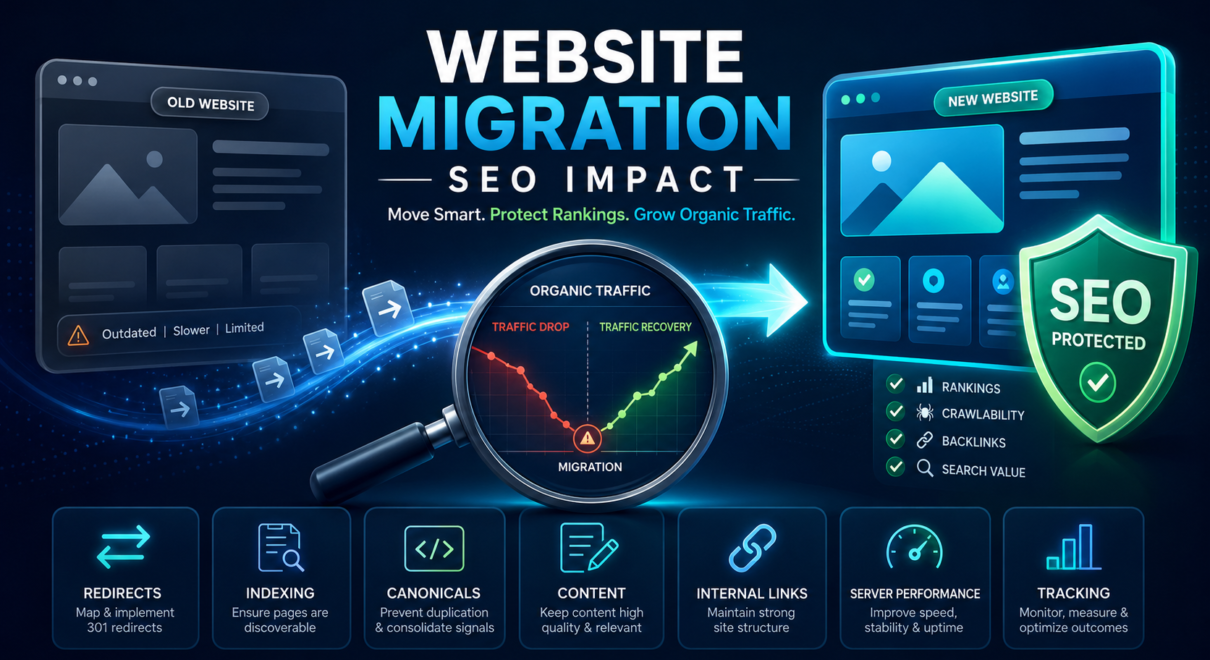
A website migration can improve hosting, design, security, performance, functionality, or long-term scalability. However, even a carefully planned move can cause temporary changes in rankings while search engines process new URLs, redirects, content, and technical signals.
The more serious concern is a sustained decline in organic visibility.
If rankings, traffic, or conversions remain significantly lower after launch, the problem may not be normal fluctuation. It may indicate that important SEO signals were lost, weakened, blocked, or transferred incorrectly during the migration.
Understanding the website migration SEO impact is important because not every decline has the same cause. A drop may come from missing redirects, indexation problems, content changes, weaker internal links, hosting issues, incorrect canonicals, broken tracking, or several problems happening at the same time.
The first step is separating expected post-launch movement from a genuine migration failure.
Is Some Ranking Fluctuation After Migration Normal?
Some fluctuation can happen after a website move, especially when URLs, templates, content, internal links, hosting, or domains change.
Search engines may need time to:
- crawl the new website
- process redirects
- discover updated URLs
- re-evaluate changed pages
- consolidate old and new signals
- update canonical selections
- process new internal links
- reassess page quality and relevance
A small temporary decline does not automatically mean the migration failed.
The level of expected movement depends heavily on the migration type.
Migration type | Typical SEO risk | Main issues to watch |
|---|---|---|
Hosting-only migration with unchanged URLs | Lower | Downtime, SSL, DNS, server errors, speed |
Website redesign with unchanged URLs | Moderate | Removed content, metadata, internal links, page speed |
CMS or platform migration | Moderate to high | URL changes, templates, canonicals, schema, redirects |
Major URL restructuring | High | Redirect mapping, broken backlinks, indexation |
Domain migration | Very high | Signal transfer, domain redirects, canonicals, Search Console setup |
Redesign + CMS + domain change | Highest | Multiple technical and content changes happening together |
A hosting-only migration with unchanged URLs and content should usually create less disruption than a domain change or full redesign.
Warning signs include:
- a sharp decline immediately after launch
- important pages disappearing from search
- rankings continuing to fall
- traffic not beginning to stabilize
- large numbers of 404 or redirect errors
- Google indexing the wrong URLs
- conversions declining alongside organic traffic
- important pages no longer appearing in Search Console
These signs justify a deeper review.
A Practical Benchmark for Evaluating the Drop
There is no universal percentage that proves a migration has failed. Traffic varies by website, season, industry, page type, and migration scope.
However, the following can serve as a practical diagnostic benchmark:
Change after migration | Possible interpretation |
|---|---|
Less than 10% short-term movement | May be normal volatility, especially after a larger migration |
10–20% decline for one or two weeks | Monitor closely and check priority URLs |
20–30% sustained decline | Strong reason to audit redirects, indexation, content, and tracking |
More than 30% decline across major landing pages | Likely migration-related issue unless seasonality or tracking explains it |
Important pages lose nearly all impressions | Possible noindex, canonical, redirect, or crawlability problem |
Analytics drops sharply but Search Console remains stable | Tracking or consent configuration may be broken |
These ranges are not formal industry standards. They are practical thresholds for deciding when a post-migration review should move from routine monitoring to active investigation.
First Confirm That the Traffic Drop Is Real
Before diagnosing a bad website migration SEO outcome, verify that the decline is not caused by broken analytics.
Tracking problems are common after migrations.
Google Analytics, Google Tag Manager, form tracking, ecommerce tracking, call tracking, or consent settings may not transfer correctly to the new website.
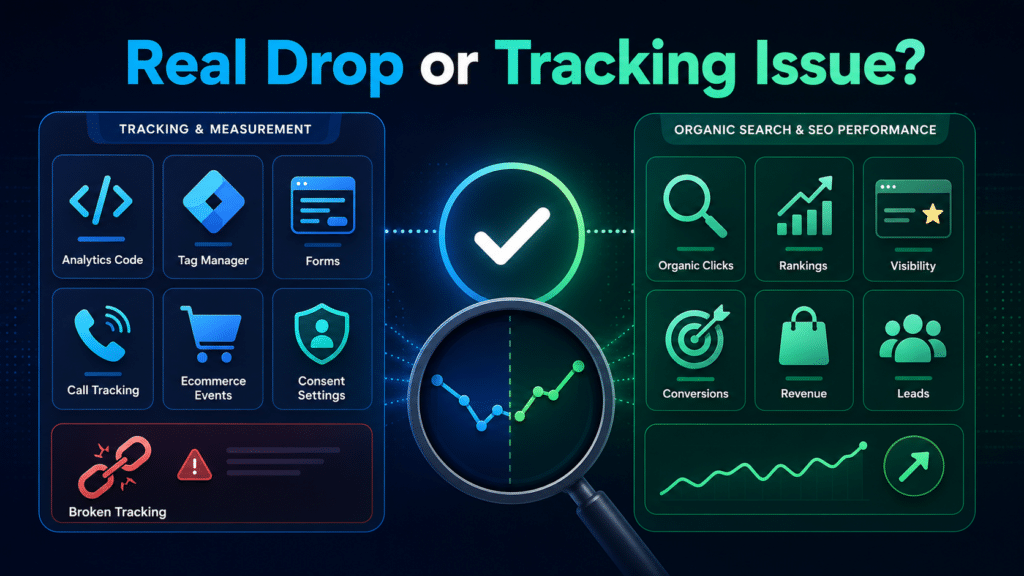
Check whether:
- analytics code appears on all important pages
- the correct analytics property is being used
- Google Tag Manager is firing
- consent settings are blocking tracking unexpectedly
- form and call events still work
- ecommerce transactions are recorded
- tracking is duplicated or missing
- internal traffic filters changed
- thank-you pages or conversion events were removed
Compare Google Analytics with Google Search Console.
Data pattern | Likely explanation |
|---|---|
Analytics traffic drops, but Search Console clicks remain stable | Tracking problem is likely |
Search Console clicks and rankings both decline | Real search visibility loss is more likely |
Traffic remains stable, but conversions collapse | Form, call, checkout, or conversion tracking may be broken |
Only a few landing pages decline | Page-level migration issue |
Nearly the entire site declines | Sitewide technical, domain, tracking, or indexation problem |
If Analytics reports a large decline but Search Console clicks remain relatively stable, the issue may be measurement rather than SEO.
If both Search Console clicks and organic rankings declined, the problem is more likely connected to search performance.
Missing or Incorrect Redirects
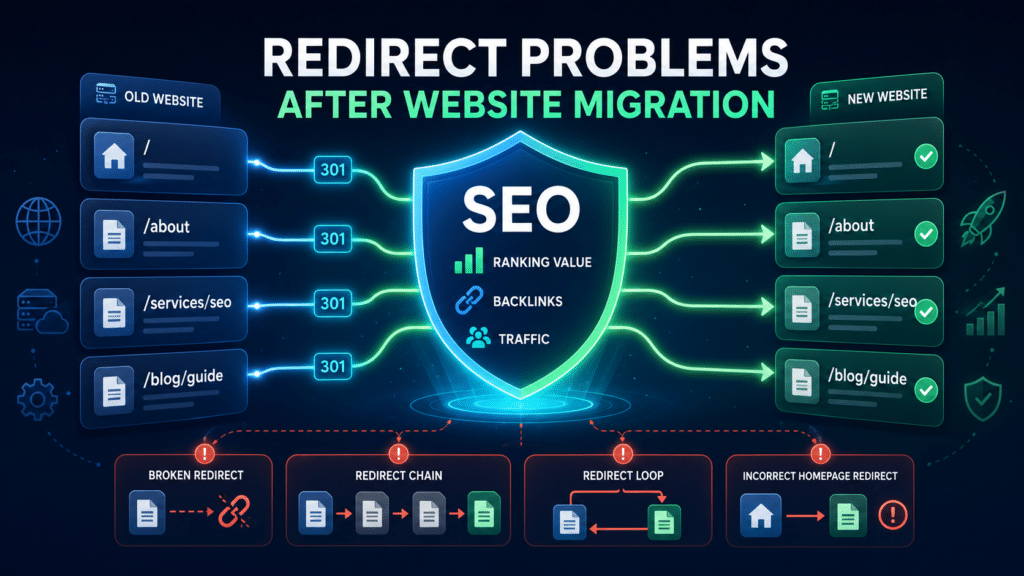
Redirect mistakes are among the most common causes of ranking loss after migration.
When URLs change, old pages should generally redirect to the closest relevant new pages using 301 redirects.
Problems occur when:
- old URLs return 404 errors
- redirects point to unrelated pages
- many URLs redirect to the homepage
- redirects create chains
- redirects create loops
- temporary 302 redirects are used unintentionally
- redirect rules were not transferred to the new server
- pages with backlinks no longer resolve correctly
- HTTP, HTTPS, www, and non-www versions behave inconsistently
Redirects help users and search engines find the new destination. They also help consolidate signals associated with the old URL.
If a page that ranked well is removed without a suitable redirect, Google may treat the replacement page as unrelated. Rankings and backlink value may not transfer as expected.
A post-migration crawl should compare every important old URL against its new destination.
Redirect quality table
Old URL outcome | SEO quality |
|---|---|
301 to the closest equivalent page | Best outcome |
301 to a broader but still relevant page | Acceptable when no exact replacement exists |
301 to the homepage | Usually weak unless the homepage is genuinely the closest match |
Multiple redirect hops | Inefficient and harder to maintain |
302 temporary redirect for a permanent move | May delay signal consolidation |
404 with no replacement | Appropriate only when the page has no value or equivalent |
Redirect loop | Critical technical error |
Pages Accidentally Blocked From Indexing
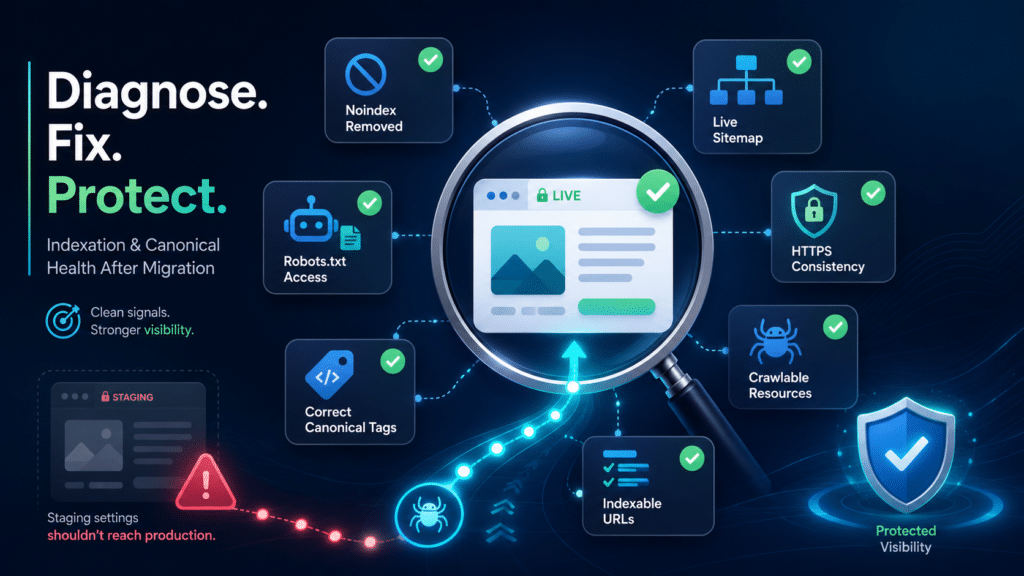
A staging website is often protected with noindex tags, robots.txt rules, or password restrictions.
The problem begins when those settings remain active after launch.
Check for:
- meta robots noindex tags
- X-Robots-Tag noindex headers
- robots.txt blocks
- password protection
- blocked page templates
- blocked CSS or JavaScript files
- CMS privacy settings
- SEO plugin settings copied from staging
If important live pages are marked noindex, Google may remove them from search results.
If robots.txt blocks pages, Google may be unable to crawl them properly. In some cases, blocked URLs may remain indexed without updated content or signals.
Inspect important pages manually and through Google Search Console to confirm that they are crawlable and indexable.
Incorrect Canonical Tags
Canonical errors can significantly affect the website migration SEO impact.
A canonical tag tells search engines which URL should be treated as the preferred version of a page.
After migration, canonicals may accidentally point to:
- the old domain
- staging URLs
- HTTP versions
- non-preferred www or non-www versions
- redirected URLs
- unrelated pages
- the homepage
- duplicate parameter URLs
If the new live page points canonically to an old or incorrect URL, Google may ignore the new page or select a different version for indexing.
Canonicals should generally be:
- absolute
- indexable
- live
- consistent with internal links
- consistent with sitemaps
- self-referencing where appropriate
- aligned with redirects
Use Search Console’s URL Inspection report to compare the declared canonical with Google’s selected canonical.
Important Content Was Removed or Weakened
Not every ranking loss is caused by a technical problem.
Sometimes the migration is technically successful, but the new pages are weaker.
During redesign or CMS migration, important content may be shortened, removed, or rewritten. A cleaner design may result in less topical depth.
Pages may lose:
- detailed service information
- FAQs
- category descriptions
- location-specific content
- comparison sections
- supporting headings
- case studies
- trust signals
- internal links
- product details
- relevant terminology
If the old page ranked because it answered the search intent thoroughly, replacing it with a shorter or more generic page can reduce relevance.
Compare pre- and post-migration versions of important pages.
Check whether the page still covers the same topic, supports the same keywords, and provides at least the same level of useful information.
A technically correct redirect cannot fully protect rankings if the destination page is substantially weaker.
Metadata and Heading Changes
Migrations can replace carefully optimized metadata with generic template values.
Common examples include:
- all service pages using the same title
- title tags shortened to only the brand name
- meta descriptions disappearing
- H1 headings replaced with vague marketing phrases
- multiple H1 tags appearing
- headings no longer matching page intent
- dynamic templates generating incorrect titles
Title tags and headings help search engines understand page topics.
If a page previously targeting a specific service launches with a title such as “Our Services,” it may lose keyword relevance.
Review title tags, H1 headings, and major subheadings on priority pages.
Metadata should not be copied blindly from the old site if improvements are needed, but important keyword relevance should be preserved.
Internal Linking Became Weaker
Internal links help search engines discover pages, understand relationships, and determine relative importance.
A migration or redesign may unintentionally remove:
- navigation links
- footer links
- breadcrumbs
- links from blog articles
- contextual service links
- related product links
- category-to-product links
- links from the homepage
- location hierarchy links
An important page that was previously linked from many relevant pages may become isolated or several clicks deeper after migration.
This can reduce crawling frequency and internal authority.
Review the internal link count and crawl depth of high-value pages before and after migration.
Important pages should remain accessible through logical, crawlable HTML links.
XML Sitemap Problems
The new XML sitemap should contain the correct live, canonical, indexable URLs.
Migration-related sitemap problems include:
- old URLs still included
- staging URLs included
- redirected pages included
- noindex pages included
- 404 URLs included
- duplicate versions included
- the sitemap returning an error
- the sitemap not submitted in Search Console
- important new pages missing
A sitemap alone will not fix migration problems, but an incorrect sitemap can make discovery and validation more difficult.
Check that the sitemap matches the new website structure and that submitted URLs return 200 status codes.
Hosting, Server, and Performance Problems
A migration may move the website to new hosting or a different server configuration.
If the new environment is unstable or slower, search performance may be affected indirectly.
Check for:
- frequent downtime
- 5xx server errors
- slow server response
- DNS configuration problems
- SSL errors
- CDN misconfiguration
- caching problems
- blocked bots
- aggressive firewall rules
- mobile performance decline
- Core Web Vitals deterioration
Google Search Console crawl statistics and server logs can help identify access problems.
If Googlebot frequently encounters server errors or long response times, crawling may become less efficient.
A migration intended to improve performance should be tested against the old environment rather than assumed to be faster.
Structured Data Was Lost or Broken
Template changes can remove or damage structured data.
The old website may have used:
- Organization schema
- LocalBusiness schema
- Product schema
- BreadcrumbList schema
- Article schema
- FAQPage schema
- ecommerce data
- review markup where appropriate
Losing structured data does not usually explain a complete ranking collapse, but it can reduce search result enhancements and make the site less clear to search engines.
Validate schema on important page types and compare it with the pre-migration implementation.
Backlinks Point to Pages That No Longer Work
Pages with backlinks require special attention during migration.
If an externally linked URL is deleted, returns 404, or redirects to an irrelevant destination, some of its value may be lost.
Review backlinks to:
- service pages
- blog articles
- product pages
- category pages
- location pages
- old campaign landing pages
- legacy resources
Make sure the strongest linked URLs resolve correctly.
If a page no longer exists, redirect it to the closest relevant replacement, not automatically to the homepage.
This should be part of professional SEO website migration audits.
Domain Migration Was Not Fully Implemented
Changing domains is one of the highest-risk migration types.
A domain move requires more than redirecting the homepage.
Important steps include:
- one-to-one redirects from old URLs
- updating internal links
- updating canonical tags
- submitting new XML sitemaps
- verifying both domains in Search Console
- using the Change of Address tool where appropriate
- updating important external profiles
- keeping the old domain active
- monitoring indexation of old and new URLs
If only part of the old site redirects correctly, signals may transfer unevenly.
The old domain should remain active long enough for users and search engines to continue following redirects.
How to Diagnose a Post-Migration Ranking Drop
A structured investigation is more effective than changing multiple things randomly.
Diagnostic step | What to check | What it may reveal |
|---|---|---|
Compare launch date with decline | Exact timing of traffic and ranking loss | Whether migration is the likely trigger |
Verify tracking | Analytics, Tag Manager, forms, calls | Measurement issue versus real SEO loss |
Crawl old and new URLs | Status codes, redirects, canonicals | Broken URL transfer |
Inspect priority pages | Indexing and selected canonical | Page-level indexing problems |
Review robots and noindex | Crawl and index directives | Accidental blocking |
Test redirect map | Old high-value URLs | Missing, irrelevant, or chained redirects |
Compare content | Old versus new page depth | Lost relevance |
Review sitemap | Submitted and indexed URLs | Discovery or URL consistency problems |
Check server data | Downtime, 5xx errors, speed | Hosting or access issues |
Segment affected pages | Sitewide versus page-level loss | Technical versus content-specific problem |
- Compare launch timing with the decline
Identify the exact date traffic and rankings changed. Confirm whether the decline began immediately after migration.
- Verify tracking
Check Analytics, Tag Manager, Search Console, forms, calls, and conversions.
- Crawl old and new URLs
Compare status codes, redirects, metadata, canonicals, indexability, and internal links.
- Inspect priority pages
Use Search Console URL Inspection to check crawling, indexing, and canonical selection.
- Review robots.txt and noindex rules
Confirm that important pages are accessible.
- Check redirect mapping
Test old high-value URLs and backlink targets.
- Compare content
Review whether important pages lost depth, relevance, headings, or internal links.
- Review sitemap and indexation
Check which URLs are submitted, indexed, excluded, or duplicated.
- Analyze server and performance data
Look for downtime, slow responses, crawl errors, and Core Web Vitals changes.
- Separate sitewide and page-level losses
A sitewide decline often suggests a broad technical or domain-level issue. A decline limited to certain pages may point to content, redirects, or internal linking.
How Long Can Recovery Take?
Recovery time depends on the cause and severity of the problem.
Simple issues such as removing an accidental noindex tag, restoring tracking, or correcting a sitemap may be resolved relatively quickly once fixed.
More serious problems may take longer, especially when:
- many URLs changed
- redirects were missing for an extended period
- important content was removed
- backlink destinations broke
- the domain changed
- Google deindexed many pages
- technical problems affected crawling
- the new site structure is substantially different
After corrections, search engines still need time to recrawl pages, process redirects, consolidate signals, and reassess relevance.
The best approach is to fix the root cause rather than repeatedly making new changes.
When to Request a Website Migration SEO Audit
A professional audit is useful when:
- organic traffic dropped sharply after launch
- important rankings disappeared
- pages are missing from Google
- the cause is unclear
- many URLs changed
- the domain or CMS changed
- redirects were implemented late
- Search Console reports widespread errors
- conversions declined with traffic
- the website has many pages
- valuable backlinks may have been affected
- previous fixes did not restore performance
A website migration SEO audit should review:
- pre- and post-migration URLs
- redirects
- crawlability
- indexation
- canonicals
- internal links
- content changes
- metadata
- sitemaps
- server performance
- Search Console data
- backlink destinations
- tracking accuracy
The purpose is not simply to identify errors. It is to determine which errors are most likely responsible for the loss and what should be fixed first.
Identify the Cause Before Making More Changes
A ranking decline after migration does not always mean the website must be rebuilt or moved back immediately.
The first priority is to identify what changed and which change affected search performance.
Some problems are technical. Others involve content, internal links, or page relevance. In some cases, the apparent traffic loss is caused by broken tracking rather than lost visibility.
A structured review can separate these possibilities.
When website migration and SEO are evaluated together, it becomes easier to identify whether search engines lost access to pages, failed to consolidate signals, selected the wrong URLs, or reassessed weaker content.
If rankings or traffic declined after a site move, an SEO website migration audit can help identify the most likely causes and prioritize the corrections needed to restore visibility.