

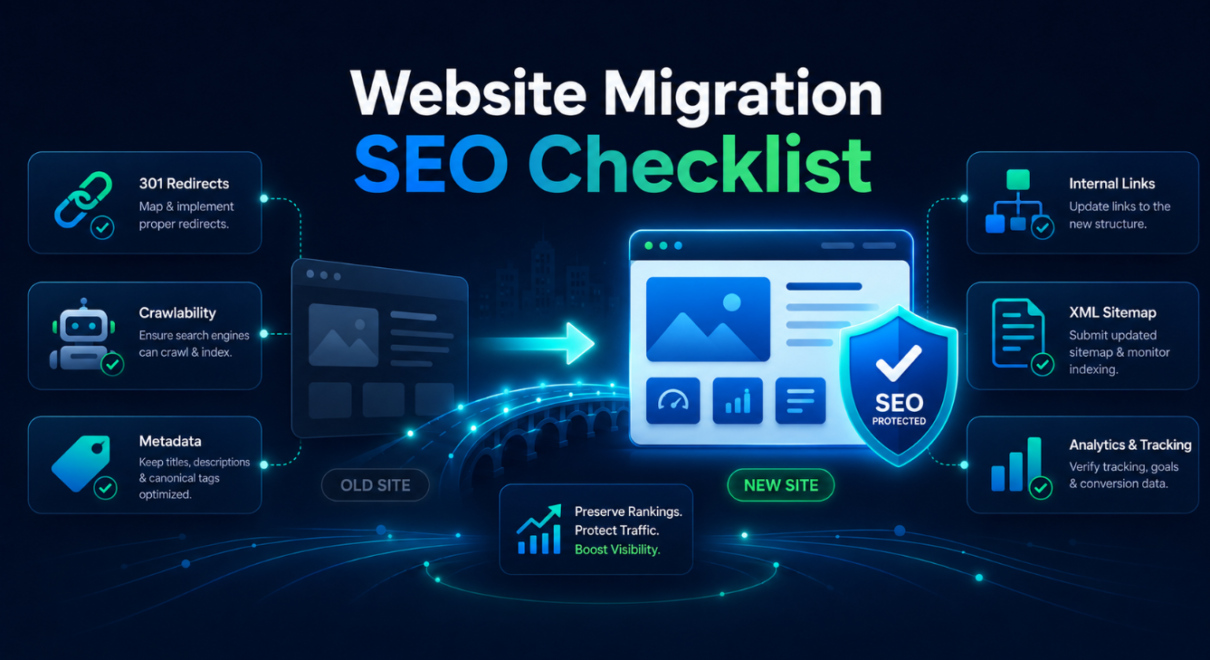
A website migration can improve performance, design, functionality, hosting, security, or long-term scalability. But from an SEO perspective, it is also one of the riskiest changes a business can make.
A migration can affect URLs, redirects, internal links, page structure, content, metadata, canonicals, indexation, tracking, page speed, and crawlability. If these elements are not handled properly, rankings and organic traffic can drop after launch.
That is why a proper website migration SEO checklist is important.
The goal is not only to move a website successfully. The goal is to move it without losing the SEO value the site has already built.
This guide explains the key website migration SEO steps to review before, during, and after a site move, including redirects, staging checks, content preservation, technical SEO, Search Console validation, and post-launch monitoring.
What Is Website Migration SEO?
Website migration SEO is the process of protecting organic search visibility during a major website change.
A migration may involve:
- moving to a new host
- changing CMS or platform
- redesigning the website
- changing URL structure
- moving from HTTP to HTTPS
- changing domains
- merging websites
- splitting websites
- rebuilding templates
- moving from one ecommerce platform to another
- launching a new version from staging
Not every migration has the same risk level. A simple hosting migration may be lower risk if URLs, content, and structure stay the same. A redesign with URL changes, content changes, and platform migration is much higher risk.
SEO website migration planning helps make sure Google can still crawl, understand, index, and rank the right pages after the move.
Without SEO planning, a migration can accidentally remove signals that helped the site rank.
Why Website Migrations Can Hurt SEO
Website migrations can hurt SEO because search engines rely on consistency.
Google needs to understand:
- which pages exist
- where old URLs moved
- which pages should be indexed
- which pages are canonical
- how content is structured
- which internal links matter
- which pages are important
- whether pages are accessible
- whether the new site is fast and mobile-friendly
A migration can disrupt these signals.
Common SEO problems after migration include:
- missing 301 redirects
- redirect chains
- important pages returning 404 errors
- staging noindex tags left on live pages
- robots.txt blocking key sections
- canonical tags pointing to old URLs
- sitemap errors
- removed content
- changed headings
- missing title tags
- weakened internal links
- broken structured data
- slower page speed
- tracking issues
- Google indexing old and new URLs incorrectly
Even a visually successful migration can create SEO problems if technical and content signals are not preserved.
Before Migration: Define the Scope
The first step in any website migration SEO checklist is understanding what is changing.
Before making the move, clarify:
- Is the domain changing?
- Is the hosting changing?
- Is the CMS changing?
- Are URLs changing?
- Is the design changing?
- Is content being rewritten or removed?
- Are pages being merged?
- Are pages being deleted?
- Is the navigation changing?
- Are internal links changing?
- Is the ecommerce structure changing?
- Are metadata or headings changing?
- Is the site moving from HTTP to HTTPS?
- Is the staging site properly blocked from indexation?
This matters because every change adds risk.
A hosting-only move is very different from a full redesign and migration. A domain change is more sensitive than a template refresh. An ecommerce migration with thousands of product URLs requires more planning than a small service website.
The clearer the scope, the easier it is to build a migration SEO plan.
Crawl the Existing Website
Before anything changes, crawl the current website.
This gives you a full record of the old site structure and helps identify what needs to be preserved.

A pre-migration crawl should collect:
- all indexable URLs
- title tags
- meta descriptions
- H1 headings
- canonical tags
- status codes
- internal links
- redirect URLs
- noindex pages
- robots.txt rules
- structured data
- image URLs
- pagination
- hreflang tags if relevant
- sitemap URLs
This crawl becomes your baseline.
After launch, you can compare the new site against the old one to identify missing pages, changed metadata, broken internal links, incorrect canonicals, or unexpected noindex tags.
For larger websites, this step is essential.
Without a pre-migration crawl, it becomes much harder to know what was lost.
Identify High-Value SEO Pages
Not all pages have equal SEO value.
Before migration, identify the pages that matter most.
These may include:
- pages with organic traffic
- pages ranking for important keywords
- pages with backlinks
- pages generating leads or sales
- main service pages
- main category pages
- top blog articles
- location pages
- product pages
- pages with strong internal links
- pages indexed and ranking well
Use data from:
- Google Search Console
- Google Analytics
- Ahrefs or similar tools
- ranking reports
- backlink reports
- conversion tracking
- CRM or lead data if available
High-value pages should be protected carefully.
If a page has traffic, rankings, backlinks, or conversions, it should not be deleted, merged, or redirected casually.
For each important URL, decide whether it will:
- stay the same
- move to a new URL
- be merged into another page
- be rewritten
- be redirected
- be removed only if truly unnecessary
This step helps prevent accidental loss of organic visibility.
Create a URL Mapping and Redirect Plan
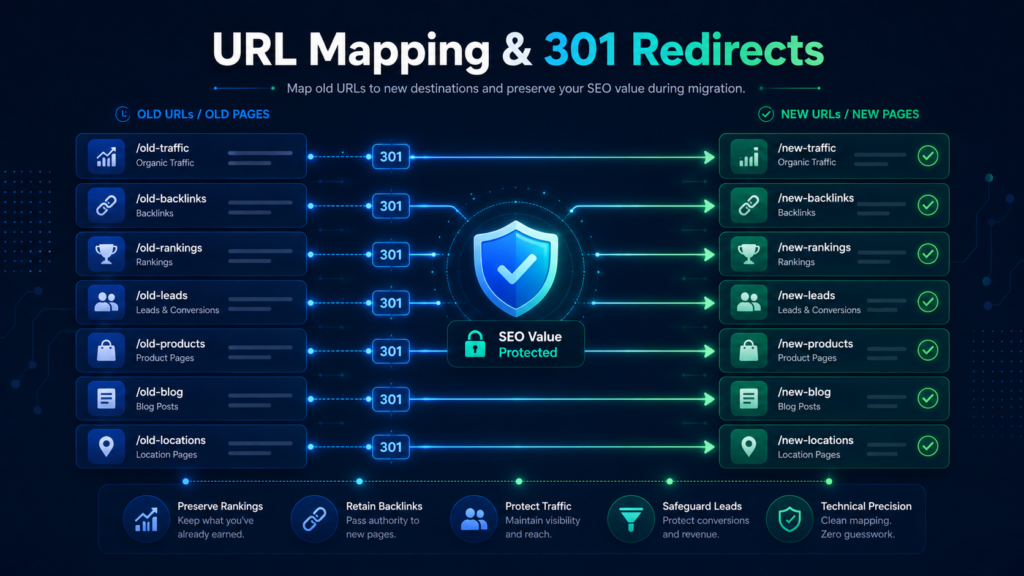
URL mapping is one of the most important website migration SEO steps.
If URLs change, every old URL should be mapped to the most relevant new URL.
The redirect plan should use 301 redirects for permanent moves.
Good redirect mapping means:
- old service page → new equivalent service page
- old product page → new equivalent product page
- old category page → new equivalent category page
- old blog post → new equivalent blog post
- old location page → new equivalent location page
Avoid redirecting everything to the homepage.
That is a common mistake. If old pages are redirected to irrelevant destinations, Google may treat them as soft 404s or may not pass value properly.
Redirects should be:
- one-to-one where possible
- relevant
- direct
- permanent
- tested before launch
- free from chains
- free from loops
A bad redirect plan is one of the fastest ways to lose rankings after migration.
Preserve Important Content
Website redesigns and migrations often remove content unintentionally.
A new design may look cleaner but include less text. A new template may remove FAQs. A service page may lose supporting sections. A category page may lose helpful buying guidance. A location page may become thinner.
This can hurt SEO.
Before migration, compare important pages and identify content that should be preserved.
Pay attention to:
- main body content
- headings
- FAQs
- service details
- product/category descriptions
- location-specific content
- trust signals
- internal links
- testimonials or proof points
- schema-related visible content
- supporting sections
If the new version removes content that helped the page rank, rankings may decline.
This does not mean every word must stay the same. A migration can improve content. But important topical coverage should not disappear by accident.
Check Metadata and Headings
During migration, title tags, meta descriptions, and headings can change unexpectedly.
This is especially common when moving to a new CMS, theme, builder, or template system.
Check that important pages preserve or improve:
- title tags
- meta descriptions
- H1 headings
- H2 headings
- canonical tags
- Open Graph tags if relevant
- schema markup where relevant
The title tag is especially important because it helps search engines understand the page and affects search result appearance.
If a service page title changes from a focused SEO title to a generic page name, rankings and click-through rate can suffer.
For high-value pages, metadata should be reviewed manually.
Review Canonical Tags
Canonical tags tell search engines which version of a page should be treated as the preferred version.
Migration errors with canonicals can create serious SEO issues.
Check that canonical tags:
- point to the correct live URL
- do not point to staging URLs
- do not point to old domains
- do not point to HTTP versions
- do not point to unrelated pages
- are self-referencing when appropriate
- are consistent with the sitemap
- are not blocking the wrong pages from ranking
A common migration mistake is launching a site where canonicals still reference the staging domain or old URL structure.
If that happens, Google may ignore or misinterpret important pages.
Check Noindex and Robots.txt Rules
Staging websites are often blocked from indexing with noindex tags or robots.txt rules. That is normal.
The problem happens when those settings accidentally move to the live site.
Before launch and immediately after launch, check:
- noindex tags
- X-Robots-Tag headers
- robots.txt rules
- blocked folders
- blocked scripts or resources
- sitemap accessibility
- crawlability of key pages
Important pages should be crawlable and indexable.
If the live site blocks Google, rankings can drop quickly.
This is one of the most important checks in any website migration SEO checklist.
Review Internal Links and Navigation
Internal links help search engines understand page importance and topic relationships.
A migration or redesign can change internal links significantly.
Review:
- main navigation
- footer links
- breadcrumbs
- contextual links
- blog-to-service links
- category links
- related product links
- location page links
- internal links to high-value pages
If important pages lose internal links, they may become weaker after migration.
For example, a service page that used to be linked from the homepage, navigation, and several blog articles may lose visibility if those links disappear.
A good migration should preserve or improve internal linking.
Prepare XML Sitemaps
After migration, XML sitemaps should reflect the new live URLs.
Check that the sitemap:
- includes only canonical indexable URLs
- excludes old URLs
- excludes redirected URLs
- excludes noindex URLs
- excludes staging URLs
- uses the correct protocol and domain
- updates automatically if generated by CMS/plugin
- is submitted in Google Search Console
An incorrect sitemap may confuse crawling and indexation.
The sitemap does not guarantee rankings, but it helps search engines discover the correct pages after migration.
Check Structured Data
If the old website used structured data, make sure it is preserved or improved.
Structured data may include:
- Organization schema
- LocalBusiness schema
- Product schema
- BreadcrumbList schema
- FAQPage schema
- Article schema
- Review snippets where appropriate
- Service schema where appropriate
- Ecommerce product data
During redesign or platform migration, schema can disappear or become invalid.
Check structured data before and after launch using validation tools.
For local businesses, ecommerce stores, publishers, and service websites, losing structured data may reduce clarity and search result enhancements.
Test the Staging Website Carefully
Before launching, test the staging site from an SEO perspective.
Do not only review design and functionality.
Check:
- crawlability
- page status codes
- metadata
- headings
- canonicals
- internal links
- redirects
- mobile layout
- page speed
- structured data
- sitemap generation
- robots.txt
- noindex settings
- duplicate pages
- broken links
- tracking setup
Staging should usually be blocked from public indexation, but it still needs to be checked.
Make sure no staging URLs are already indexed. If they are, plan how to remove or redirect them properly.
A staging review can catch problems before they become live SEO issues.
Launch-Day SEO Checks
Launch day should include immediate SEO validation.
Check:
- homepage loads correctly
- important pages return 200 status codes
- redirects work correctly
- old URLs redirect to correct new URLs
- no redirect chains or loops
- noindex tags are removed from live pages
- robots.txt allows important sections
- canonical tags are correct
- sitemap is live and accurate
- analytics tracking works
- Google Tag Manager works if used
- forms and conversion tracking work
- mobile pages render properly
- page speed is acceptable
- important internal links work
Do not wait weeks to check these items.
Many migration problems are easiest to fix immediately after launch.
Post-Launch Google Search Console Checks
After the migration, Google Search Console becomes one of the most important tools.
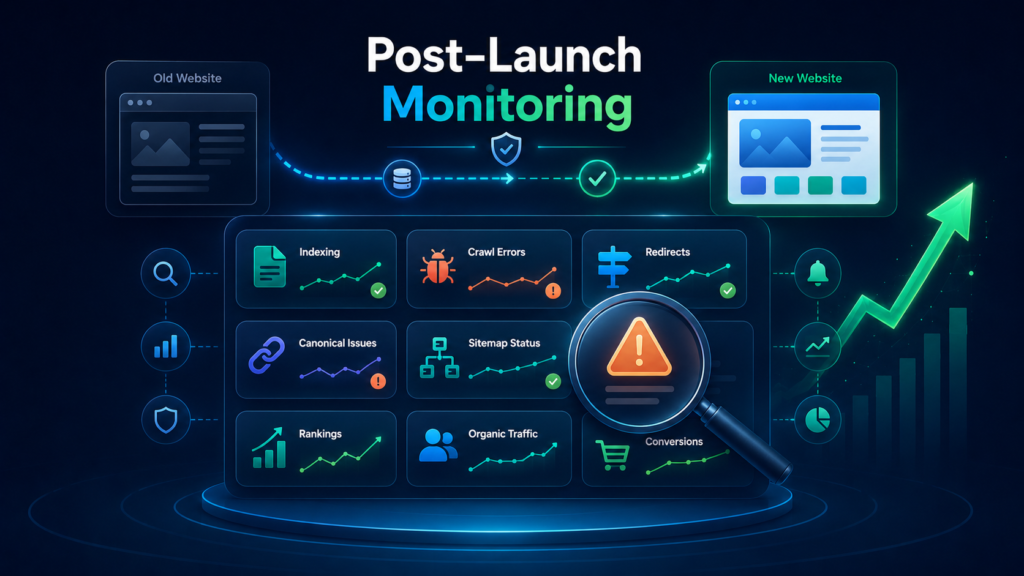
Check:
- Page indexing report
- Crawl stats
- sitemap status
- 404 errors
- redirect errors
- canonical issues
- excluded pages
- impressions
- clicks
- average position
- top pages
- top queries
Use URL Inspection for high-value pages.
Confirm that Google can crawl and index the new URLs and that the selected canonical is correct.
If the migration involved a domain change, use the Change of Address tool where appropriate.
Monitor Search Console closely for several weeks after launch.
Monitor Rankings and Organic Traffic
Rankings may fluctuate after migration. Some short-term movement is normal, especially if URLs or structure changed.
However, a major or sustained drop should be investigated quickly.
Monitor:
- organic traffic
- impressions
- clicks
- keyword rankings
- branded search visibility
- non-branded rankings
- high-value page performance
- conversions
- indexed pages
- crawl errors
- backlink URLs
- local rankings if relevant
Compare performance against the pre-migration baseline.
If important pages lose visibility, check whether the issue is caused by redirects, content changes, internal links, indexation, canonicals, or technical errors.
Common Website Migration SEO Mistakes
Many ranking drops after migration come from preventable mistakes.
Common mistakes include:
- launching without a redirect map
- redirecting old pages to the homepage
- leaving noindex tags on live pages
- blocking Google in robots.txt
- changing URLs unnecessarily
- removing ranking content
- losing title tags and headings
- breaking internal links
- forgetting XML sitemaps
- leaving canonical tags pointing to staging
- ignoring mobile and speed
- not checking Search Console
- deleting pages with backlinks
- not crawling before and after migration
- not tracking rankings before launch
Most of these problems can be avoided with proper planning.
When to Get a Website Migration SEO Audit
A professional website migration SEO audit is useful when the migration has SEO risk.
This is especially important if:
- the website gets organic traffic
- URLs are changing
- the domain is changing
- the CMS is changing
- the website is being redesigned
- ecommerce pages are involved
- many pages will be redirected
- important pages have backlinks
- the business depends on organic leads or sales
- previous migrations caused traffic loss
- the team is unsure what to check
- rankings already dropped after migration
A migration SEO audit can review the current site, staging site, redirect map, technical setup, content preservation, indexation risks, and post-launch performance.
The goal is to prevent avoidable ranking loss.
If the site already migrated and traffic dropped, the audit can identify what went wrong and what should be fixed first.
Website Migration SEO Checklist Summary
Here is a simplified checklist to follow:
- Define migration scope
- Crawl the existing website
- Identify high-value SEO pages
- Export Search Console and analytics data
- Review backlink targets
- Create URL mapping
- Prepare 301 redirects
- Preserve important content
- Review metadata and headings
- Check canonical tags
- Check noindex and robots.txt rules
- Review internal links
- Prepare XML sitemap
- Validate structured data
- Test staging website
- Check page speed and mobile usability
- Validate analytics tracking
- Launch and test redirects
- Submit sitemap in Search Console
- Inspect important URLs
- Monitor rankings, traffic, and indexing
This checklist does not replace a full audit, but it covers the main areas that usually cause SEO problems during migration.
Protect Rankings Before the Site Goes Live
A website migration can be a smart business decision, but it should not be treated as only a design, development, or hosting task.
SEO needs to be part of the process from the beginning.
The safest approach is to document the old site, protect high-value pages, map redirects carefully, preserve important content, validate technical settings, test staging, and monitor performance after launch.
A proper website migration SEO checklist helps reduce risk, but every site is different. Larger websites, ecommerce stores, multi-location businesses, and sites with strong organic traffic may need deeper review.
If you are planning a site move, redesign, CMS change, or hosting migration, a professional website migration SEO audit can help identify risks before launch and protect the rankings your website has already earned.