
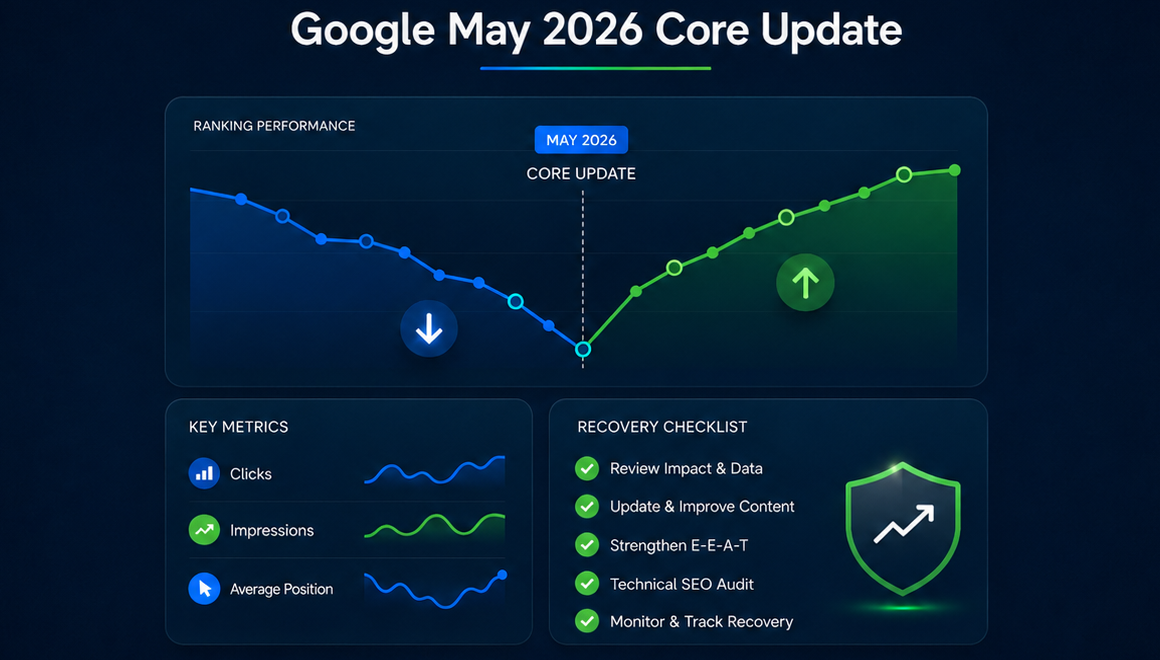
Google completed the May 2026 core update, and many website owners are now reviewing changes in rankings, organic traffic, impressions, and lead volume.
For some websites, the update may have created a clear improvement. For others, it may have caused a noticeable drop in visibility. Many sites may also see mixed results: some pages improving, some pages declining, and some keywords moving up and down without a simple pattern.
That is normal after a broad core update.
The important thing is not to panic or make random changes. A Google core update is not the same as a manual penalty. It does not mean that Google found one specific technical issue or punished a website for one specific mistake. Core updates are broader changes to how Google evaluates and ranks content across the web.
This guide explains what happened during the Google May 2026 core update, why it matters for SEO, how to check whether your website was affected, and what steps you can take if your rankings or traffic declined.
Google May 2026 Core Update: Quick Facts
Item | Details |
Update name | Google May 2026 Core Update |
Update type | Broad core update |
Started | May 21, 2026 |
Completed | June 2, 2026 |
Rollout length | Nearly 12 days |
Scope | Global |
Content types affected | All types of content can be affected |
Main goal | Better surface relevant, useful, satisfying content |
Penalty? | No, a core update is not a manual penalty |
The May 2026 core update was Google’s second confirmed core update of 2026, following the March 2026 core update. It also came after other important 2026 updates, including a March spam update and a February Discover update.
This matters because many websites may have already experienced ranking movement earlier in the year. If your website changed in March, April, May, or early June, it is important to review the timeline carefully before assuming that one update caused every change.
Why the May 2026 Google Algorithm Update Matters
A Google algorithm update can affect more than traditional keyword rankings.
For business websites, a core update can influence:
- Organic traffic from Google Search
- Visibility for service, product, and location pages
- Blog article rankings
- Featured snippets and other search features
- Google Discover visibility
- Impressions and clicks in Google Search Console
- Lead volume from organic search
- The balance between branded and non-branded traffic
This is why a core update should be reviewed from a business perspective, not only an SEO ranking perspective.
A page may lose a few positions but still generate leads. Another page may only lose impressions from low-converting keywords. A blog article may drop in traffic while core service pages remain stable. In other cases, a rankings decline may directly affect phone calls, form submissions, product sales, or local service inquiries.
The goal of update analysis is not just to ask, “Did traffic go up or down?”
The better question is:
Which pages, keywords, and business areas were affected, and what should we improve first?
Was the May 2026 Core Update Bigger Than the March 2026 Update?
Google described the May 2026 core update as a regular update designed to better surface relevant and satisfying content. However, many SEO tracking tools and industry discussions reported noticeable volatility during the rollout.
Some SEO professionals described the May update as more visible or heavier than the March 2026 core update. That does not mean every site was affected more strongly. It means that, across tracked search results, there were meaningful ranking shifts during the rollout window.
For your own website, the only reliable answer comes from your data.
Do not judge the update based only on general industry comments. Instead, review:
- Google Search Console clicks and impressions
- Ranking changes for important keywords
- Page-level traffic changes
- Conversion or lead changes
- Competitor movement in the SERPs
- Whether the changes started during the rollout window or before it
A website that lost traffic in early May may not have been affected by the core update at all. A website that changed significantly after May 21 or after the rollout completed on June 2 deserves a closer update review.
How to Check If Your Website Was Affected
The first mistake many website owners make after a Google update is checking only total organic traffic.
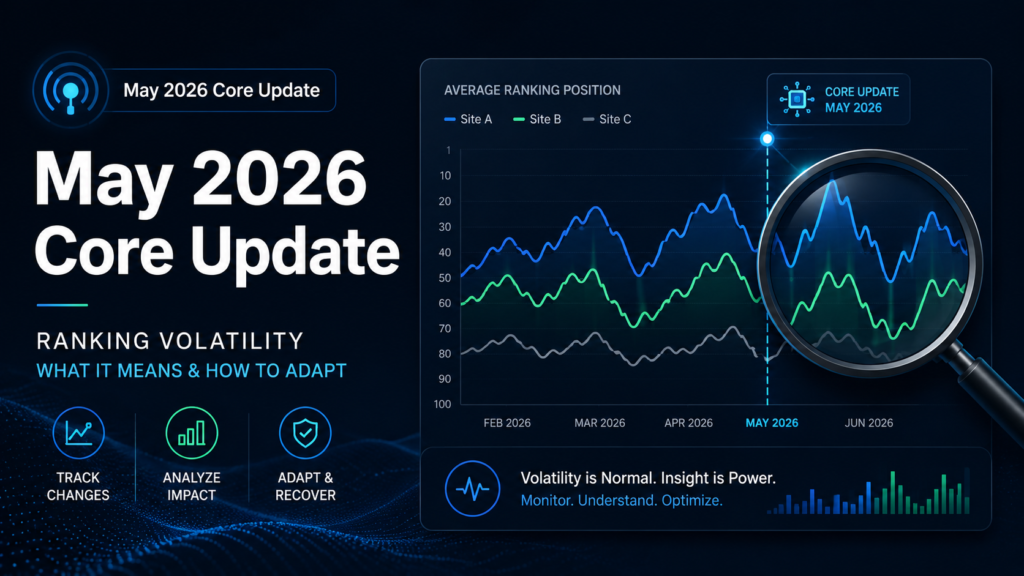
Total traffic can be misleading. A website may lose traffic from informational blog posts while service pages remain stable. Or a site may gain impressions but lose clicks because rankings shifted from page one to page two. In some cases, traffic drops because of seasonality, tracking changes, or lower demand, not because of an algorithm update.
Use a more structured process.
Step 1: Wait Until the Rollout Has Settled
Core updates can cause ranking volatility during the rollout period. Rankings may move up, down, and back again before stabilizing.
For the May 2026 core update, the rollout completed on June 2. A more reliable review should compare data after the rollout has settled, not only the first few days of the update.
A practical comparison would be:
- Two weeks before the update vs. two weeks after the update
- The same period year over year, if the business is seasonal
- The main affected pages before and after June 2
- Important keyword groups before and after the rollout
For smaller websites, daily data may be too noisy. Weekly comparison is usually more useful.
Step 2: Review Google Search Console by Page
In Google Search Console, go to the Performance report and compare date ranges.
Start with the Pages tab.
Look for pages with the biggest declines in:
- Clicks
- Impressions
- Average position
- Click-through rate
Then separate affected pages by type:
- Service pages
- Location pages
- Product pages
- Category pages
- Blog posts
- Guides or resources
- Homepage
- Contact or conversion pages
This helps you understand whether the issue is sitewide or concentrated in specific content types.
For example, if only blog posts declined, the problem may relate to content quality, relevance, freshness, or search intent. If service pages declined, you may need to review competitor strength, local relevance, trust signals, internal linking, and page quality.
Step 3: Review Queries, Not Just Pages
After you identify affected pages, check which queries lost clicks or impressions.
This is important because one page can rank for many different keywords. You need to know whether the page lost its main commercial keywords or only secondary informational phrases.
Separate queries into groups:
- Branded keywords
- Main service or product keywords
- Local keywords
- Informational keywords
- Comparison keywords
- Long-tail keywords
- Low-intent keywords
A drop in non-branded service keywords is usually more serious than a drop in low-intent informational queries. A drop in branded traffic may indicate a different issue, such as brand demand, reputation, tracking, or SERP layout changes.
Step 4: Compare Against Current Top-Ranking Pages
If your page dropped after the update, review what replaced it.
Do not compare your page to old assumptions. Compare it to the current top-ranking pages after the update.
Ask:
- Are competitors answering the search intent more directly?
- Do they provide more complete information?
- Do they have stronger examples, pricing details, FAQs, visuals, or proof?
- Are they more specific to the user’s location or industry?
- Do they show stronger trust signals?
- Are they using clearer page structure?
- Do they have better internal links from related pages?
- Are they more up to date?
The goal is not to copy competitors. The goal is to understand what Google may now consider more useful for that query.
Common Reasons Websites Lose Visibility After Core Updates
A core update does not usually point to one simple problem. However, after many updates, the same types of weaknesses often become more visible.
Thin or Generic Content
Pages with very basic, repetitive, or generic information may struggle after core updates.
This is especially common on:
- Local service pages
- Product category pages
- AI-generated blog posts
- Location pages with copied text
- SEO pages written mainly around keywords
- Articles that repeat the same advice found everywhere else
A page does not need to be extremely long to perform well. But it should be useful, specific, and clearly better than a basic overview.
For example, a local service page should not only say that the company is professional, affordable, and reliable. It should explain the service, service area, process, use cases, pricing factors, customer concerns, FAQs, and why the business is a credible choice.
Search-First Content Instead of People-First Content
Google’s guidance consistently emphasizes content created for people, not content created mainly to manipulate rankings.
Search-first content often has these signs:
- The article exists only because a keyword has volume
- The page repeats the target keyword unnaturally
- The content provides shallow answers
- The writer does not appear to understand the topic deeply
- The page has no original examples, experience, or practical value
- The content promises an answer but gives vague general information
- The page is built around search engine structure but not user satisfaction
People-first content is different. It helps the visitor make a decision, solve a problem, compare options, understand risks, or take the next step with confidence.
Weak Topical Authority
A single article or service page can rank, but Google often rewards websites that demonstrate broader topical coverage.
For example, if a website wants to rank for local SEO services, it is stronger when it also has useful supporting content about Google Business Profile optimization, local citations, reviews, service-area pages, local link building, map rankings, and technical SEO for local businesses.
Weak topical authority can happen when a website has scattered content with no clear structure.
To improve this, build topic clusters around important services and connect them with internal links.
Outdated or Incomplete Information
Some pages lose visibility because they are no longer the best available result.
This is especially important for industries where information changes often, such as SEO, legal topics, finance, health, software, technology, and local regulations.
Review affected content for:
- Old statistics
- Outdated recommendations
- Missing recent developments
- Old screenshots
- Broken links
- Outdated product or service details
- Missing FAQs
- Missing comparison points
- Weak examples
Updating content should not mean changing the publication date only. It should mean improving the page in a meaningful way.
Poor Trust Signals
Trust matters, especially for business websites and topics where users need confidence before taking action.
Weak trust signals may include:
- No clear company information
- No author or reviewer information where relevant
- No real examples or case studies
- No customer proof
- Thin About page
- Missing contact information
- Unclear service area
- No policies, guarantees, or process explanations
- Generic stock-style content
- No external references for factual claims
For small businesses, trust signals do not need to be complicated. Clear service details, real business information, testimonials, project examples, team information, and transparent process explanations can all help.
Poor Internal Linking
Internal links help users and search engines understand which pages are important and how topics are connected.
After a core update, pages with weak internal support may lose visibility to competitors with stronger site structure.
Check whether your important pages receive links from:
- Homepage
- Main service pages
- Related blog posts
- Category pages
- Location pages
- FAQ pages
- Case studies
- Navigation or footer, where appropriate
Internal linking should be natural and useful. Do not add dozens of random exact-match links. Instead, connect related pages in a way that helps users continue learning or move toward conversion.
Technical SEO Issues That Limit Performance
Core updates are not usually caused by one technical issue, but technical problems can make recovery harder.
Check for:
- Indexing issues
- Accidental noindex tags
- Canonical problems
- Duplicate pages
- Broken internal links
- Slow page templates
- Mobile usability issues
- Poor crawlability
- Incorrect redirects
- Thin tag or archive pages
- Sitemap issues
- Structured data errors
A technically weak site may not fully benefit from content improvements because Google has a harder time crawling, understanding, and evaluating the site.
How to Recover From the Google May 2026 Core Update
There is no single “core update recovery button.” Recovery usually requires improving the overall quality, usefulness, trust, and structure of the website.
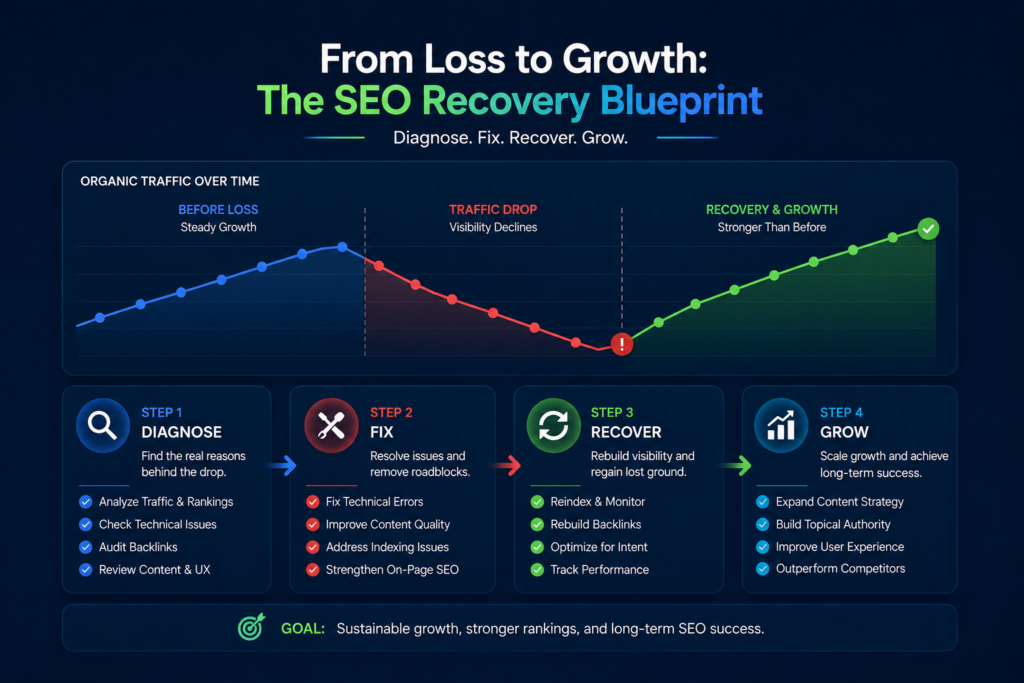
Here is a practical recovery process.
Do Not Rewrite Everything Immediately
Large, rushed changes can make the situation worse.
Before changing content, identify exactly what declined. A sitewide traffic drop may actually come from five to ten important pages. A ranking decline may affect only one keyword cluster. A blog traffic decline may not affect revenue.
Start with diagnosis before making changes.
Identify the Most Affected Pages
Create a list of pages that lost the most clicks, impressions, or rankings.
For each page, document:
- Previous clicks
- Current clicks
- Previous impressions
- Current impressions
- Main lost queries
- Current ranking position
- Previous ranking position
- Business importance
- Conversion value
This helps you prioritize pages that matter most.
A page that lost 500 visits but generated no leads may be less urgent than a service page that lost 40 visits and several monthly inquiries.
Review Search Intent Again
Search intent can change over time.
For each affected query, look at the current top results and ask what type of content Google is rewarding now.
Is Google showing:
- Service pages?
- Product pages?
- Local business pages?
- Blog guides?
- Comparison articles?
- Forums?
- Videos?
- Tools?
- Direct answer pages?
- Official sources?
- Review pages?
If your page type no longer matches the dominant intent, improving the same page may not be enough. You may need a different page format or a different content angle.
Improve Content Depth and Usefulness
Content improvements should make the page more helpful, not just longer.
Depending on the page, you may add:
- Clearer explanations
- Better examples
- Step-by-step guidance
- Pricing factors
- Comparison tables
- FAQs
- Original insights
- Updated data
- Service process details
- Common mistakes
- Use cases
- Customer concerns
- Before-and-after explanations
- Stronger intro and summary sections
For service pages, explain what the service includes, who needs it, how the process works, what affects cost, what results to expect, and what makes the provider credible.
For blog posts, go beyond basic definitions. Add practical examples, decision-making guidance, and updated information.
Strengthen E-E-A-T Signals
E-E-A-T stands for experience, expertise, authoritativeness, and trustworthiness.
For many business websites, this can be improved through:
- Better About page
- Clear service descriptions
- Real company information
- Author or expert review notes where relevant
- Customer testimonials
- Case studies
- Portfolio examples
- Transparent contact information
- Clear policies
- External references for important claims
- Better explanation of process and methodology
If your website gives advice, make it clear why visitors should trust that advice.
Consolidate Weak Pages
Some websites have too many weak pages competing with each other.
Examples include:
- Multiple thin pages targeting very similar keywords
- City pages with nearly identical content
- Blog posts covering the same topic without a clear difference
- Old articles with outdated information
- Tag pages or archive pages indexed without value
In these cases, recovery may involve consolidating content, redirecting weak pages, improving the strongest page, and creating a cleaner content structure.
Do not delete pages randomly. Review traffic, backlinks, rankings, and business value first.
Improve Internal Links
After updating important pages, support them with internal links.
For example:
- Link related blog posts to main service pages
- Link service pages to relevant case studies
- Link location pages to service pages
- Link older articles to updated guides
- Add contextual links from high-authority pages on your site
Use descriptive anchor text, but keep it natural. Internal links should help users move through the site, not just push keywords.
Review Backlink Quality and Authority
Backlinks are not the only reason sites win or lose after a core update, but authority still matters in competitive search results.
Review:
- Whether competitors have stronger link profiles
- Whether your important pages have any links
- Whether your links are relevant to your niche
- Whether you rely too much on low-quality placements
- Whether your best content is linkable
- Whether you have local or industry-specific mentions
Avoid random link building as a quick fix. After a core update, low-quality links are unlikely to solve deeper content, trust, or intent problems.
A better approach is to build fewer but more relevant links from industry, local, editorial, or resource-based websites.
Monitor Results Over Time
Core update recovery can take time.
Some improvements may help within weeks, especially if pages are recrawled and the changes better match user intent. Larger recoveries may happen gradually or during future core updates.
Track:
- Page-level clicks
- Query-level impressions
- Ranking changes
- Indexed pages
- Conversions
- Leads
- Competitor movement
- Crawl and indexing signals
Do not judge recovery by one day of data. Use weekly and monthly trends.
What Not to Do After a Google Core Update
When traffic drops, it is easy to make emotional decisions. Avoid these common mistakes.
Do Not Delete Content Without Analysis
Some low-quality content may need to be improved, consolidated, or removed. But deleting content without checking traffic, backlinks, keywords, and user value can cause more harm.
Do Not Assume Every Drop Is Caused by the Update
Traffic can decline because of seasonality, tracking problems, technical errors, competitor changes, SERP feature changes, or lower search demand.
Always verify the cause.
Do Not Rely Only on AI Rewriting
AI can help with structure, drafts, and efficiency, but generic AI rewriting often creates content that sounds polished without adding real value.
If content was already too generic, simply rewriting it with AI will not fix the core problem.
Do Not Chase One Ranking Factor
Core update recovery is rarely about one factor.
Do not assume the answer is only backlinks, only word count, only schema, only Core Web Vitals, or only keyword density.
Most recovery plans need a mix of content quality, search intent alignment, technical SEO, internal linking, trust signals, and authority building.
Do Not Judge Rankings During the Rollout
Rankings often fluctuate during a core update. Wait until the rollout is complete and then review a stable comparison period.
Google Core Update Recovery Checklist
Use this checklist if your website lost rankings or traffic after the May 2026 core update.
Area | What to Check |
Timeline | Did the decline start during or after the update rollout? |
Pages | Which pages lost the most clicks or impressions? |
Queries | Which keywords declined most? |
Intent | Do affected pages still match the current SERP intent? |
Content quality | Is the content useful, specific, complete, and current? |
Competitors | What do current top-ranking pages do better? |
Trust | Does the page show expertise, proof, and clear business information? |
Internal links | Are important pages supported by relevant internal links? |
Technical SEO | Are there indexing, canonical, crawl, or performance issues? |
Backlinks | Do competitors have stronger or more relevant authority signals? |
Conversion impact | Did the decline affect leads, sales, or only low-value traffic? |
Recovery plan | Which pages should be updated first based on business value? |
What Small Businesses Should Check First
Small business websites often do not need an enterprise-level recovery project. But they do need a focused review.
Start with these areas:
Main Service Pages
Your service pages are usually more important than blog posts because they directly support leads and revenue.
Check whether each main service page clearly explains:
- What the service includes
- Who the service is for
- What problems it solves
- Why customers should trust your business
- What the process looks like
- What areas you serve
- What questions customers usually ask
- How to contact or request a quote
Location Pages
If your business depends on local SEO, review your location pages carefully.
Weak location pages often use repeated text with only the city name changed. Stronger location pages include local context, service details, unique FAQs, nearby areas served, testimonials, and clear calls to action.
Google Business Profile and Local Signals
For local businesses, organic rankings and map visibility often work together.
After a core update, also check:
- Google Business Profile activity
- Calls
- Direction requests
- Website clicks
- Reviews
- Categories
- Services
- Business description
- Local citations
- Consistency of name, address, and phone number
A decline in organic traffic does not always mean a decline in total local visibility. Review both website and GBP data.
Blog Content
Blog posts can support SEO, but only when they are relevant to the business and connected to service pages.
Review whether your blog content:
- Attracts the right audience
- Supports your services
- Answers real customer questions
- Links to relevant commercial pages
- Provides more value than competing articles
- Is updated when information changes
If your blog brings traffic but no leads, it may need better internal linking, stronger calls to action, or a more focused content strategy.
How Long Does Recovery Take?
Recovery time depends on the reason for the decline and the quality of the improvements.
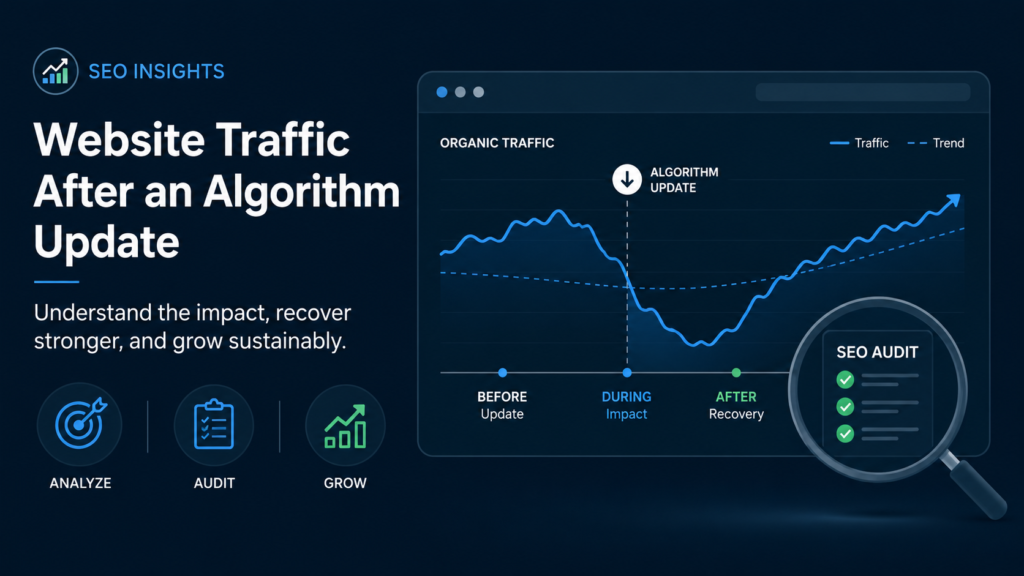
Some changes can help within a few weeks. Larger improvements may take several months. In some cases, the biggest recovery may happen after another core update, when Google refreshes or adjusts its systems again.
The most important thing is to avoid surface-level fixes.
Changing titles, adding a few keywords, or increasing word count may not be enough. A real recovery plan should improve the page’s usefulness, trust, structure, and competitive strength.
Need Help Reviewing a Traffic Drop After the May 2026 Core Update?
If your website lost rankings or traffic after the Google May 2026 core update, the first step is a proper diagnosis.
At CostEffectiveSEO, we can review your Google Search Console data, identify affected pages and keywords, compare your website against current competitors, and create a practical recovery plan.
Our review can include:
- Traffic and ranking loss analysis
- Page-level SEO review
- Search intent comparison
- Content quality recommendations
- Technical SEO checks
- Internal linking review
- Competitor analysis
- Backlink and authority review
- Prioritized recovery action plan
A Google core update does not always mean something is “wrong” with your website. But it does mean your site should be reviewed against what Google is currently rewarding.
The right response is not panic. The right response is careful analysis, better content, stronger trust signals, and a focused SEO recovery plan.