

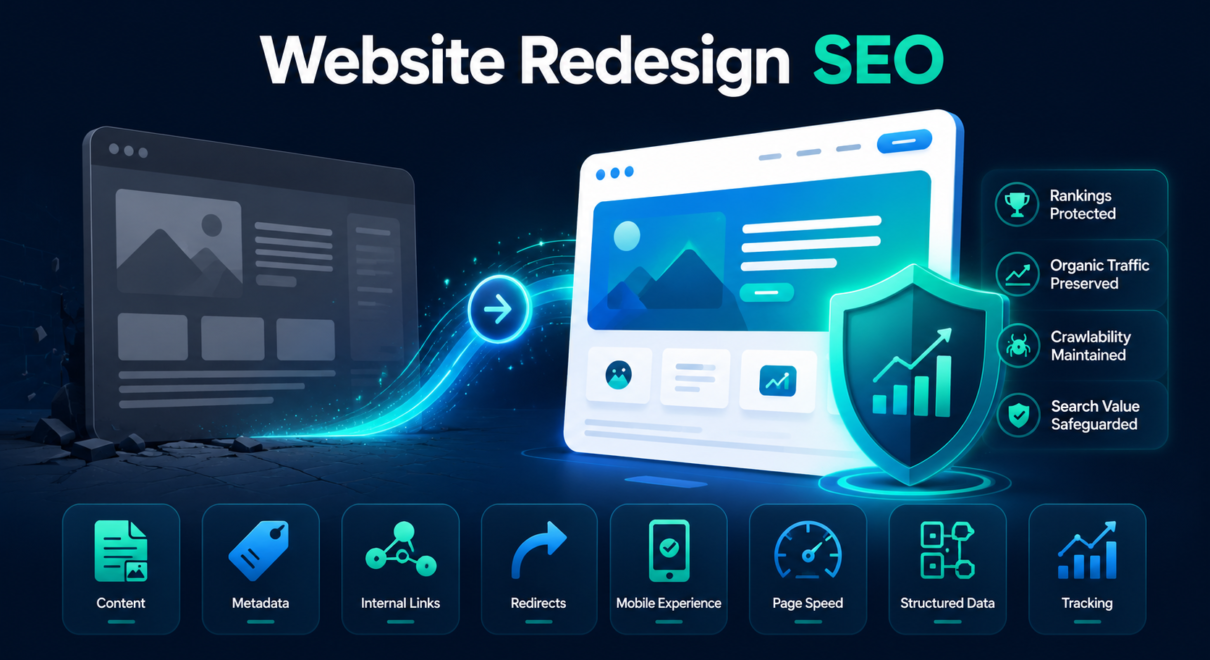
A website redesign can make a business look more modern, improve user experience, support better conversions, and make the site easier to manage. But if SEO is not considered during the redesign process, the new website can launch with serious ranking problems.
A redesign can change page layouts, content, headings, internal links, navigation, metadata, URLs, page speed, mobile experience, structured data, and crawlability. These elements all influence how search engines understand and rank a website.
This is why website redesign SEO matters.
The goal is not just to launch a better-looking website. The goal is to redesign the site while protecting the organic visibility, rankings, traffic, and search value the old site has already earned.
This guide explains how to redesign a website without losing SEO rankings, what risks to watch for, and what should be checked before and after launch.
What Is Website Redesign SEO?
Website redesign SEO is the process of protecting and improving search performance during a website redesign.
A redesign may include:
- new visual design
- new page templates
- new navigation
- new homepage layout
- rewritten content
- removed or merged pages
- updated service pages
- changed category pages
- new blog structure
- new internal linking
- new CMS or page builder
- new URL structure
- new mobile layout
- new performance setup
Some redesigns are mostly visual. Others are almost full migrations.
The more elements that change, the higher the SEO risk.
If URLs, content, internal links, and technical settings remain stable, the risk is lower. If the redesign changes site structure, removes pages, rewrites content, or changes URLs, SEO planning becomes much more important.
Does Website Redesign Affect SEO?
Yes, website redesign can affect SEO.
A redesign can help SEO if it improves content quality, navigation, mobile usability, page speed, internal linking, accessibility, and technical structure.
But it can hurt SEO if it removes ranking content, breaks URLs, weakens internal links, changes metadata carelessly, blocks pages from indexing, or creates technical errors.
The redesign itself is not the problem. The problem is launching a redesigned site without preserving the SEO signals that helped the old site rank.
Common SEO problems after redesign include:
- rankings drop for important keywords
- organic traffic declines
- old URLs return 404 errors
- title tags become generic
- important content is removed
- internal links are lost
- service pages become thinner
- noindex tags remain on live pages
- robots.txt blocks important sections
- page speed gets worse
- structured data disappears
- Google indexes staging URLs
- mobile usability issues appear
- conversion tracking breaks
These issues are preventable if SEO is included before launch.
Start With a Pre-Redesign SEO Audit
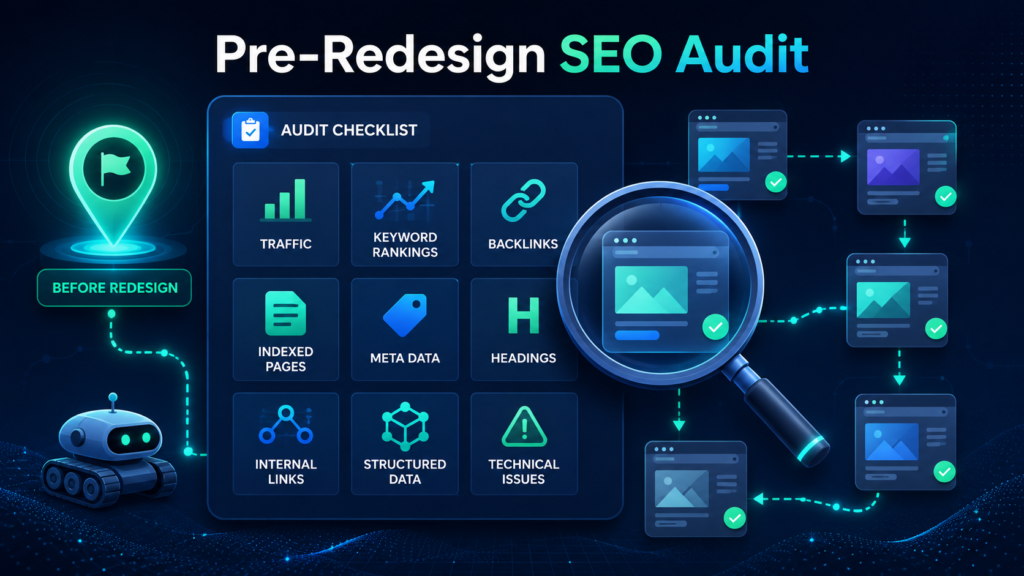
Before redesigning the website, review the current SEO performance.
This gives you a clear picture of what needs to be protected.
A pre-redesign SEO audit should identify:
- pages with organic traffic
- pages ranking for important keywords
- pages with backlinks
- pages generating leads or sales
- important service pages
- important blog articles
- important category pages
- location pages
- indexed pages
- current metadata
- current headings
- current internal links
- current structured data
- current technical issues
This audit is not only about finding problems. It is also about identifying assets.
If a page already ranks, gets traffic, or has backlinks, it should be handled carefully during redesign.
A page that looks outdated may still be valuable from an SEO perspective. Removing it, rewriting it too aggressively, or changing its URL can cause traffic loss.
Identify Pages That Must Be Protected
Not every page on a website has the same value.
Before redesign, create a list of pages that should be protected.
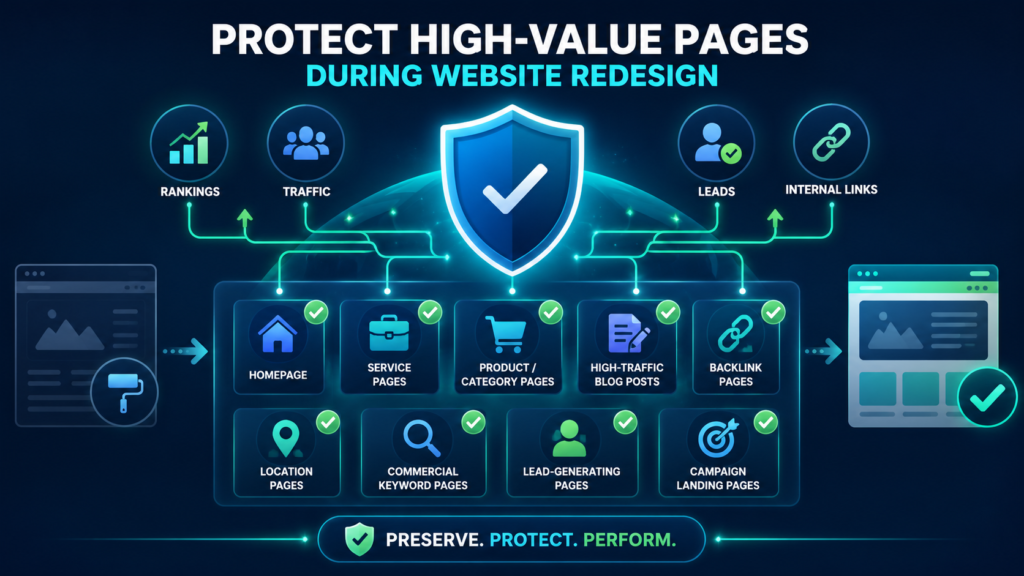
These usually include:
- homepage
- main service pages
- product or category pages
- high-traffic blog posts
- pages with backlinks
- location pages
- pages ranking for commercial keywords
- pages generating leads
- pages with strong internal links
- pages used in paid campaigns
- pages linked from Google Business Profile
- pages used in email or sales materials
For each important page, decide:
- Will the URL stay the same?
- Will the content be preserved?
- Will the page be expanded?
- Will the page be merged?
- Will the page be redirected?
- Will the page remain indexable?
- Will internal links still point to it?
This helps prevent accidental SEO loss.
Be Careful With URL Changes
Changing URLs is one of the biggest SEO risks during redesign.
If possible, keep important URLs the same.
When URLs stay the same, Google does not need to process a major page move. Existing rankings, links, and indexation signals are easier to preserve.
If URLs must change, create a redirect map.
Each old URL should be redirected to the most relevant new URL using a 301 redirect.
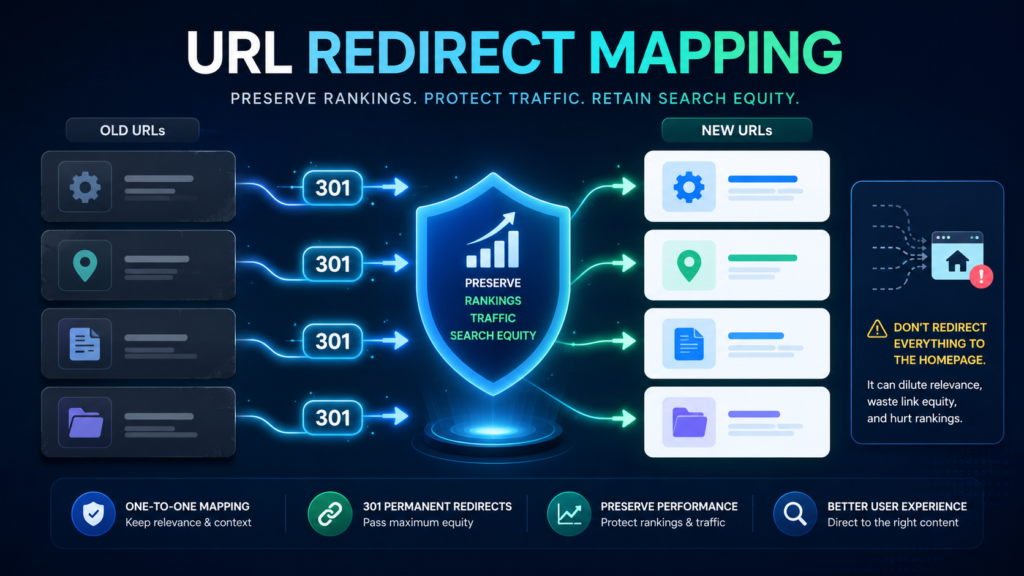
For example:
- old service page → new equivalent service page
- old location page → new equivalent location page
- old blog article → updated version of the same article
- old category page → new equivalent category page
Avoid redirecting all deleted or changed URLs to the homepage.
That creates a poor user experience and may not preserve SEO value properly.
Redirects should be direct, relevant, and tested before launch.
Preserve Ranking Content
Redesign projects often focus on visuals and user experience, but content changes can have a major SEO impact.
If an old page ranks because it covers a topic in detail, replacing it with a short design-focused page may cause rankings to drop.
Before removing or rewriting content, check whether the page gets organic traffic or ranks for important keywords.
Pay special attention to:
- service descriptions
- product/category descriptions
- FAQs
- location-specific text
- comparison sections
- technical explanations
- supporting paragraphs
- case studies
- trust signals
- reviews or testimonials where appropriate
- internal links inside the content
The goal is not to keep weak or outdated content forever. A redesign can improve content. But important topical coverage should not disappear unintentionally.
If a page is being redesigned, make sure the new version is at least as useful and complete as the old version.
Review Page Titles, Meta Descriptions, and Headings
Metadata can change accidentally during redesign, especially when moving to a new theme, CMS, template, or SEO plugin setup.
Check important pages manually.
Review:
- title tags
- meta descriptions
- H1 headings
- H2 headings
- canonical tags
- Open Graph tags if relevant
- schema-related visible content
Title tags are especially important. If a focused title is replaced with a generic page title, rankings and click-through rates may suffer.
For example, a page previously optimized around “commercial pest control services” should not launch with a generic title like “Services.”
The same applies to H1 headings. Each important page should have a clear, relevant primary heading that matches the purpose of the page.
Protect Internal Linking
Internal links help search engines understand which pages matter.
A redesign can change internal linking significantly.
Navigation may be simplified. Footer links may be removed. Blog links may disappear. Related service links may be replaced with visual cards that are not crawlable. Important pages may become harder to reach.
Review internal links before and after redesign.
Important pages should still be linked from:
- main navigation where appropriate
- homepage sections
- footer if appropriate
- related service pages
- blog articles
- category pages
- breadcrumbs
- contextual content sections
Internal links should be crawlable HTML links, not only hidden inside scripts or visual elements that search engines may struggle to process.
If an important page loses most of its internal links, it may lose strength.
Check Navigation and Site Structure
A redesign is a good opportunity to improve site structure.
But it can also create confusion if pages are reorganized without SEO planning.
A strong SEO-friendly structure should make it easy for users and search engines to understand:
- what services you offer
- what locations you serve
- what product categories exist
- which pages are most important
- how topics are grouped
- how blog content supports service pages
- how users move from informational content to commercial pages
Avoid burying important pages too deep.
If a service page used to be one click from the homepage and becomes four clicks deep after redesign, that may weaken its importance.
A cleaner design should not make the site harder to crawl.
Watch for Staging and Noindex Problems
Most redesigns are built on a staging site before launch.
That is normal. But staging settings can cause serious SEO issues if they go live.
Before launch, check that the live site does not include:
- noindex tags
- robots.txt blocks
- password protection
- staging URLs in internal links
- staging URLs in canonical tags
- staging URLs in XML sitemaps
- placeholder pages
- test content
- temporary metadata
- blocked scripts or resources
A noindex tag left on important pages can cause them to drop from search results.
This is one of the most important pre-launch checks.
Validate Canonical Tags
Canonical tags help search engines understand the preferred version of a page.
During redesign, canonicals can break or point to the wrong place.
Check that canonicals:
- point to the correct live URLs
- do not point to staging URLs
- do not point to old URLs
- do not point to unrelated pages
- use HTTPS
- match the preferred www or non-www version
- are self-referencing where appropriate
- are consistent with internal links and sitemaps
Incorrect canonical tags can confuse Google and reduce the ranking potential of important pages.
Check XML Sitemaps
After the redesigned site launches, the XML sitemap should include only the correct live indexable URLs.
The sitemap should not include:
- staging URLs
- old URLs
- redirected URLs
- 404 pages
- noindex pages
- duplicate URL versions
- test pages
If the sitemap is generated by a CMS or SEO plugin, confirm that it updates properly after launch.
Submit or recheck the sitemap in Google Search Console.
The sitemap helps search engines discover the correct version of the redesigned site.
Preserve Structured Data
Structured data can disappear during redesign if templates change.
Check whether the old site used schema markup such as:
- Organization schema
- LocalBusiness schema
- Product schema
- BreadcrumbList schema
- Article schema
- FAQPage schema
- Review schema where appropriate
- Service schema where appropriate
If structured data helped clarify the old site, make sure it is preserved or improved.
For local businesses, ecommerce stores, service companies, and content-heavy websites, structured data can support better search understanding.
After launch, validate structured data and fix errors.
Test Mobile Experience
A redesign should improve mobile experience, not weaken it.
Many users and search engines evaluate websites through mobile-first design. If the mobile version hides important content, breaks navigation, loads slowly, or creates layout issues, SEO and conversions can suffer.
Check mobile pages for:
- visible main content
- clear headings
- working navigation
- readable text
- tap-friendly buttons
- fast loading
- stable layout
- working forms
- accessible menus
- visible internal links
- no intrusive layout problems
Do not assume that a page works well on mobile just because it looks good on desktop.
Review Page Speed and Core Web Vitals
Redesigns often add heavier visuals, animations, scripts, sliders, fonts, videos, and page builder elements.
These can make the new website slower.
Check speed before and after launch.
Review:
- Largest Contentful Paint
- Interaction to Next Paint
- Cumulative Layout Shift
- server response time
- render-blocking resources
- image size
- unused scripts
- caching
- CDN setup
- font loading
- mobile speed
A more beautiful website should not become significantly slower.
If page speed drops after redesign, organic performance and conversions may be affected.
Confirm Tracking and Conversions
A redesign can break analytics and conversion tracking.
After launch, confirm that tracking works correctly.
Check:
- Google Analytics
- Google Tag Manager
- form submissions
- phone clicks
- ecommerce tracking
- contact page tracking
- lead source attribution
- CRM integrations
- thank-you pages
- conversion events
- call tracking
- newsletter signups
If tracking breaks, it may look like SEO traffic or leads dropped even if rankings are stable.
Always verify tracking before making conclusions about redesign performance.
Crawl the New Website After Launch
After launch, crawl the redesigned website and compare it with the old crawl.
Look for:
- missing pages
- changed status codes
- broken links
- redirect chains
- redirect loops
- missing title tags
- duplicate title tags
- missing H1 headings
- noindex pages
- canonical errors
- sitemap issues
- internal link changes
- structured data problems
- blocked resources
- 404 errors
This comparison can reveal problems that are not obvious during manual review.
A post-launch crawl should happen as soon as possible after the site goes live.
Monitor Google Search Console
Google Search Console should be monitored closely after a redesign.
Check:
- indexing issues
- crawl errors
- sitemap status
- canonical issues
- impressions
- clicks
- average position
- top pages
- top queries
- mobile usability
- Core Web Vitals
Use URL Inspection for important pages.
Confirm that Google can crawl and index the new versions.
If rankings or traffic drop, Search Console can help identify whether the issue is related to indexing, crawlability, canonicalization, or page-level performance.
Common Website Redesign SEO Mistakes
Many redesign-related SEO problems come from preventable mistakes.
Common mistakes include:
- changing URLs without redirects
- deleting pages that had rankings or backlinks
- removing too much content
- replacing detailed pages with thin pages
- losing title tags and meta descriptions
- weakening internal links
- removing blog-to-service links
- leaving noindex tags on live pages
- blocking Google in robots.txt
- launching with staging canonicals
- breaking XML sitemaps
- removing structured data
- making pages slower
- ignoring mobile issues
- failing to check Search Console
- not crawling before and after launch
A redesign should improve the website, not reset its SEO progress.
Website Redesign SEO Checklist
Before launching a redesigned website, review this checklist:
- Crawl the old website
- Identify high-value SEO pages
- Export Search Console and analytics data
- Review pages with backlinks
- Confirm whether URLs will change
- Create redirect map if needed
- Preserve important content
- Review title tags and meta descriptions
- Check H1 and H2 headings
- Preserve internal links
- Review navigation and site structure
- Check noindex and robots.txt rules
- Validate canonical tags
- Update XML sitemaps
- Preserve structured data
- Test mobile experience
- Test page speed
- Confirm analytics and conversion tracking
- Crawl the new site after launch
- Monitor Search Console and rankings
This checklist helps reduce risk and makes the redesign process more SEO-safe.
When to Get a Website Redesign SEO Audit
A website redesign SEO audit is useful when the website already gets organic traffic, leads, sales, or rankings.
It is especially important if:
- URLs will change
- content will be rewritten
- pages will be removed
- the CMS will change
- the site structure will change
- the site has backlinks
- ecommerce pages are involved
- local SEO pages are involved
- the site depends on organic leads
- previous redesigns caused traffic loss
- the development team is not focused on SEO
An SEO audit can review the current site, staging site, redirect map, technical setup, content changes, metadata, internal links, and launch risks.
It is usually easier to prevent traffic loss than to recover after rankings drop.
Redesign the Website Without Resetting SEO Progress
A website redesign should make the site better for users and stronger for business. It should not erase the organic visibility the website has already built.
The safest approach is to include SEO before the new site goes live. Important pages should be protected, URLs should be mapped, content should be preserved or improved, internal links should remain strong, and technical settings should be checked carefully.
A successful redesign improves the website while keeping search engines clear on what changed and what stayed the same.
If your site already generates organic traffic or leads, a website redesign SEO audit can help identify risks before launch and protect rankings during the transition.