
Pest Control Location Pages: When to Use City Pages vs. a Homepage
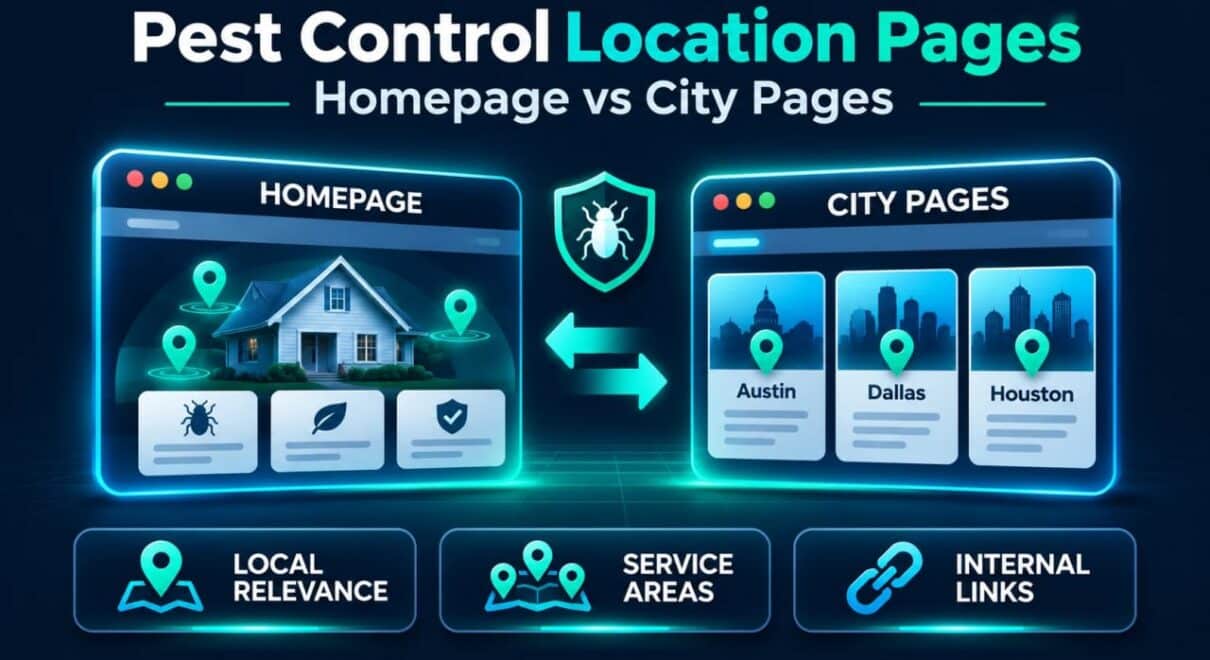
A pest control company serving several towns does not automatically need a separate SEO page for every town. Sometimes the homepage is the clearest destination for a local search. In other cases, a dedicated city page gives customers information the homepage cannot cover adequately.
The right choice depends on the business's actual service territory, what someone searching in that location needs to know, and which pages already appear in Google. Before publishing more URLs, compare the results for your target city and decide whether a new page would answer a genuinely different question.
Our 2026 Pest Control SEO Study analyzed 300 organic Top 10 ranking appearances across 30 U.S. cities. Both homepages and inner pages appeared prominently. That makes the practical question which page best serves each market, not how many location pages a pest control website can produce.
What Our 30-City Research Reveals About Ranking Page Types
Of the 300 organic Top 10 results examined, 195 belonged to pest control companies. Their ranking URLs were nearly evenly divided between homepages and other pages.
| Ranking group | Company homepages | Inner pages | Total company appearances |
|---|---|---|---|
| Organic positions 1–3 | 24 (46.2%) | 28 (53.8%) | 52 |
| Organic positions 4–10 | 66 (46.2%) | 77 (53.8%) | 143 |
| All Top 10 positions | 90 (46.2%) | 105 (53.8%) | 195 |
An inner page here means any ranking company URL other than its homepage. The category includes branch, location, and other internal landing pages; it does not mean that every one of the 105 results was a dedicated city page. Each result is a ranking appearance, not necessarily a different company.
The striking detail is that the homepage-versus-inner-page split was almost identical in the Top 3 and positions 4–10. We cannot conclude that one format systematically outranked the other in this sample. Instead, the data shows why a universal “create a city page for every market” recommendation is too simplistic.

Practical conclusion: Review the pages ranking for the same search in your market. Treat their format as context, then choose the URL that can offer the strongest relevant information to a customer.
Homepage or City Page? Use This Decision Framework
The homepage, a city landing page, a branch page, and a treatment page can each have a distinct job. Choose the page based on the searcher's purpose rather than generating a URL for every keyword variation.
| Business situation | Best starting point | Why |
|---|---|---|
| One main operating city and a few closely connected towns | Homepage, with clear service-area information | One strong page may cover the core local proposition without duplicating it |
| Several important cities with genuinely different service information | Dedicated city pages for selected markets | Customers can get city-specific coverage, logistics, and proof |
| Separate staffed branches serving distinct territories | Branch/location pages | Each operating location can explain its own services and contact details |
| A search specifically about termites, rodents, or another treatment | Service-specific page, sometimes linked from a city page | Treatment intent may matter more than a broad city label |
| A small town with little distinct information to add | Existing homepage or service-area overview | A near-duplicate page may offer little additional user value |
These are editorial choices, not fixed Google ranking rules. A business can refine its structure as new services, territories, and genuinely distinct customer needs develop.
Which page should target the search?
A strong business overview, clear main service area, and links to treatment pages.
Useful city-specific coverage, booking details, local proof, and service links.
Real operating location details, staff, services, and accurate contact information.
When the Homepage Should Be the Main Local SEO Page
For a small pest control company based in one primary market, the homepage often introduces everything a potential customer needs: the business name, core pest treatments, cities served, service availability, credibility, and a direct way to request help.
Imagine an owner-operated company based in Boise that also serves nearby communities. If its existing homepage is already the main destination for relevant organic searches, creating separate pages for every neighboring town may not be the first improvement worth making.
A better initial approach might be to strengthen the homepage with:
- A clear page title and H1 identifying the primary service and real core market.
- Concise descriptions of the treatment services actually available.
- A readable service-area section naming towns the company genuinely serves.
- Links to more detailed termite, rodent, mosquito, or other treatment pages.
- Real reviews, credentials, staff information, or local evidence where available.
- A phone number and inspection-request option that work well on mobile.
For example, an appropriately targeted title might be “Pest Control in Boise, ID | [Business Name].” This is an illustrative format, not a prescription to put every nearby city into the title.
When not to force a city page: If the proposed new page would repeat the homepage almost entirely, first improve the existing destination and make the business's actual service area easier to understand.
When a Dedicated Pest Control City Page Makes More Sense
A city page becomes useful when it answers questions that a general homepage cannot answer concisely. A pest control company operating across several meaningful markets may need separate pages to explain coverage, response arrangements, relevant services, and locally verifiable experience.
A new page is easier to justify when the business can provide several of the following:
- Genuine service coverage: clear confirmation that technicians actually serve the city and which services are offered there.
- Distinct customer information: verified service hours, booking availability, inspection process, or coverage limitations that matter for this area.
- Local proof: genuine customer feedback, project examples, team information, or photographs that can honestly be associated with that market.
- Useful service connections: links to the treatments most relevant to customers in the area, not merely a repeated list of keyword phrases.
- A clear contact path: a working phone number or appointment form with no invented local office address.
A city page should work as a standalone destination. Someone who arrives directly from Google ought to understand what the company provides there, whether their address is covered, and how to request service without navigating back to the homepage.
City Pages and Branch Pages Are Not the Same
A city or service-area page can legitimately describe a place where technicians travel to customers. It does not, by itself, imply that the business maintains a physical office in that city.
A branch page represents an actual operating location. It may have its own staff, address (where public-facing and appropriate), phone number, hours, and local operational information.
This distinction is especially important for Google Business Profile. Publishing a city page does not create eligibility for a new Google Maps profile. Google's business representation guidelines distinguish genuine staffed operating locations from service areas. Do not create fictional offices or separate Business Profiles just because new pages exist.
What to Include on a Useful Pest Control Location Page
A strong page needs relevant substance, not an arbitrary word count. Use the following structure as a checklist, adapting it to facts the business can verify.
1. State the Service and Location Immediately
Use a clear H1 such as “Pest Control in [City]” and explain in the opening section which treatments are available and what the customer should do next. A city name in the heading should reflect genuine coverage, not be an attempt to mimic a local office.
2. Explain What Customers Can Request
Describe the actual inspection, treatment, prevention, or follow-up options. Keep the overview specific enough to help the customer, and link to detailed treatment pages instead of repeating a full termite or bed bug guide on every city page.
3. Make the Service Area Understandable
Clarify whether the business serves the entire city, selected neighborhoods, or nearby towns. If there are booking restrictions, special response windows, or coverage boundaries, state them accurately. Avoid long lists of ZIP codes included solely for search engines.
4. Add Verifiable Local Evidence
Include suitable proof where available: a customer testimonial from that area, a real job example with permission, a local technician team, or an explanation of the branch serving the city. Never fabricate local reviews, treatment photographs, or statements such as “our office in [City]” when none exists.
5. Connect to Detailed Service Pages
Customers looking for termite treatment may need different information from those booking rodent exclusion. Link from the city page to the relevant core service pages and return to the city page from service-area navigation where contextually appropriate.
6. Make Contact Simple
A visible phone link, a short inspection-request form, and clear expectations for the next step often matter more to visitors than an extra paragraph repeating the city name. Keep contact details consistent with the company's actual operations.
7. Use Accurate SEO and Technical Signals
Set a descriptive title, one clear H1, sensible internal links, and a canonical URL matching the intended page. Ensure the page is accessible, indexable when appropriate, and linked from the website. If structured data is used, its business information must match reality and visible page content.
Our 30-city study found that 176 of 190 measured company ranking appearances mentioned the target city or an accepted alternative in the HTML title, while 182 of 190 did so in the page body. These observations support the usefulness of clear local context, but they do not prove that adding a city name alone improves rankings.
Avoid Thin Pages That Only Replace the City Name
Consider two hypothetical pages on the same pest control website:
Page A: “Pest Control in City A.” It repeats the homepage's wording, changes the city name six times, uses the same stock image, and has no distinct coverage information.
Page B: “Pest Control in City B.” It explains the actual service territory, identifies which team handles enquiries, links to available treatments, provides a genuine customer example, and makes the booking process clear.
Page B offers a more defensible reason to exist. Its value comes from useful information, not merely a longer text or a different place name.
Google's spam policies warn about doorway abuse, including substantially similar pages created to target city variations and funnel users into essentially the same destination. This does not mean legitimate multi-location content is prohibited. It means location pages should be built around real customer needs and an understandable site structure.
A practical rule is to stop adding locations when you can no longer explain what meaningful, accurate information each new page contributes.
Build Internal Links Without Making City Pages Compete
Website architecture should give every important page a clear purpose. A straightforward structure for a company serving several cities could be:
- Homepage: business overview, primary market, core services, service-area navigation.
- Service-area hub: a readable overview of major territories with links to useful city pages.
- Selected city pages: city-specific coverage and links to treatments actually offered there.
- Treatment pages: detailed information about termite control, rodent removal, bed bug treatment, and other distinct services.
- Contact or scheduling page: booking details, support information, and practical next steps.
Avoid three nearly identical URLs targeting “pest control in [City],” “exterminator [City],” and “pest removal [City]” if they would all answer the same query in the same way. That creates unnecessary overlap and makes it harder to decide which page should receive internal links and optimization effort.
If the homepage already ranks for a city and a new city page is introduced, do not automatically redirect the homepage or change its canonical. First establish whether the new page serves a distinct intent, then review Google Search Console after publication to see which URL receives impressions and clicks.
Practical action: Assign one main page to each important city-level intent and use supporting links to clarify how the company operates across services and locations.
A Sensible Five-Step Rollout for Multi-City SEO
Instead of launching 30 templated city pages at once, use a controlled process:
- Inventory existing rankings. In Google Search Console, identify which URLs already receive impressions for your key city searches. Check the actual local organic results and separate company websites from directories.
- Group markets by genuine business importance. Prioritize areas that the company serves consistently and where useful, distinct landing-page information is available. Service profitability and search demand require business-specific analysis, not assumptions from the 30-city study.
- Choose the destination. Keep the homepage for the primary market when appropriate; build a city page only where it fills a genuine informational gap. Use service pages for strongly treatment-specific queries.
- Publish a small first set. Create a few high-value pages with verifiable local information, relevant internal links, accurate metadata, and working conversion paths.
- Measure and refine. Check indexing, the queries and URLs appearing in Search Console, enquiry quality, and whether the new page adds value. Improve pages before expanding into more locations.
Our study also found that 167 of 190 measured company ranking appearances linked to distinct pest-control services. This is another useful website-structure reference, not a requirement to insert a particular number of internal links on every city page.
If a business is struggling with visibility despite having many city pages, it may need a broader diagnosis of organic and Maps visibility rather than still more pages. Our guide on why businesses are not ranking in Google Maps covers that separate issue.
How to Decide Whether a City Page Is Worth Keeping
After publication, assess whether each city page serves real users and plays a clear role. A useful page may receive relevant impressions, bring qualified enquiries, support navigation to specific services, or answer questions from customers in that market.
A page with little organic traffic is not automatically worthless, especially in a small local market. But a group of nearly identical pages with no distinct purpose, no relevant internal links, and no meaningful service information deserves review.
When consolidating, identify the best surviving destination and protect existing user paths with appropriate redirects where warranted. Do not delete a page solely because it has fewer words than competitors. The question is whether the page provides distinct value and supports the business's actual service coverage.
The Practical Conclusion for Pest Control Companies
A homepage is not inherently weaker than a city page. In our sample, homepages and inner pages appeared in the Top 3 at almost the same proportions as in positions 4–10. Choose a homepage when one strong local destination is enough; build a city page when the customer needs useful, verifiable information about that market that the homepage cannot present clearly.
The strongest location-page strategy is usually selective: optimize important existing pages first, create distinct pages for genuine opportunities, connect them to relevant services, and measure how visitors respond. Page quantity is not the objective.
Get a Location-Page Strategy Based on Your Actual Competitors
Before expanding your website, compare its current visibility with pest control companies already ranking in your service areas. CostEffectiveSEO's pest control SEO services include competitor research, service-area and landing-page optimization, technical improvements, and ongoing local SEO work.
You can request a free competitor analysis to identify where your website may need stronger pages, or review the available SEO packages and pricing if you are ready to plan a campaign.